
In today’s digital-first world, a website is no longer optional — it is the foundation of a brand’s online presence. Whether you are a business owner, a marketer, a student, or simply a curious internet user, understanding what a website is and how it works gives you a major advantage in navigating the digital landscape.
This in-depth informational guide explains websites from the ground up. We will cover definitions, core components, types of websites, how websites technically function, the role of domains and hosting, and how modern websites deliver content to users in milliseconds. This article is written for clarity, depth, and long-term educational value — not surface-level explanations.
What Is a Website?
A website is a collection of interlinked web pages that are accessible through the internet under a single domain name. These pages are stored on a server and delivered to users via web browsers such as Google Chrome, Safari, or Firefox.
At its core, a website is a digital container for information. It can display text, images, videos, interactive forms, animations, and dynamic data. Websites can be simple, like a one-page personal profile, or highly complex, like eCommerce platforms, banking systems, or social media networks.
Key Characteristics of a Website
- Accessible through a web browser
- Identified by a unique domain name (e.g. example.com)
- Hosted on a web server
- Uses standard web technologies such as HTML, CSS, and JavaScript
- Can be static or dynamic
A website acts as a bridge between information providers (businesses, creators, organizations) and users who search for information online.
See More: Website Design Cost in Singapore: Complete Pricing Guide
What Is a Web Page?
A web page is a single, self-contained document that exists within a website and is accessible through a unique URL. If a website is comparable to a book, then each web page functions as an individual chapter—designed to communicate a specific topic, message, or action to the user.
Every web page is created with a clear purpose in mind. Some pages are meant to inform, others to persuade, and others to guide users toward a specific action such as making a purchase or submitting a contact form.
From a technical perspective, a web page is built primarily using HTML (HyperText Markup Language), which defines the structure and content of the page. This structure is then styled using CSS (Cascading Style Sheets) to control layout, colors, fonts, and responsiveness. Finally, JavaScript is often used to add interactivity, such as animations, form validation, dynamic content loading, and user interactions.
Common Types of Web Pages and Their Purposes
- Homepage
The homepage acts as the main entry point of a website. It introduces the brand or organization, highlights key offerings, and guides users to important sections of the site. - About Us Page
This page explains who the company or individual is, their background, values, mission, and credibility. It helps build trust and human connection. - Services or Products Page
Designed to explain what is being offered, how it works, and why users should choose it. These pages often focus on benefits, features, and calls to action. - Blog Article or Resource Page
Content-driven pages that educate, inform, or answer specific questions. Blog pages play a critical role in SEO and long-term organic traffic growth. - Contact Page
A functional page that allows users to get in touch through forms, phone numbers, maps, or email addresses.
In short, web pages are the building blocks of a website, each contributing to user experience, SEO performance, and business objectives.
See More: Top 12 Web Design Companies in Singapore (2026 Guide)
Types of Websites
Websites can be classified into different types based on their purpose, functionality, and target audience. Understanding these categories helps businesses and individuals choose the right website structure and features for their goals.
1. Informational Websites

Informational websites are designed primarily to deliver knowledge, facts, or public information. Their main goal is not to sell products directly but to educate, inform, or provide official resources.
These websites typically focus on:
- Clear content structure
- High readability
- Content accuracy and authority
- Easy navigation
Common examples include:
- News and media websites delivering daily updates
- Educational platforms offering learning materials and courses
- Government and public service websites providing official information, policies, and announcements
SEO plays a major role in informational websites, as visibility in search engines is crucial for reaching a wide audience.
2. Business Websites

Business websites represent a company, brand, or professional service in the digital space. They serve as an online storefront, credibility builder, and lead-generation tool.
A well-built business website typically includes:
- Brand positioning and messaging
- Clear service or product explanations
- Trust signals such as testimonials and case studies
- Conversion-focused design elements
Examples include:
- Corporate websites for established companies
- Agency websites showcasing expertise and portfolios
- Professional service websites for consultants, lawyers, designers, or medical practices
For many businesses, the website is the first impression customers have, making design, performance, and clarity extremely important.
Learn more about our website design services.
3. ECommerce Websites

ECommerce websites are built specifically to sell products or services online. Unlike traditional business websites, they require advanced functionality to support transactions and user accounts.
Key features of eCommerce websites include:
- Product catalogs and category pages
- Shopping carts and checkout systems
- Online payment gateways
- Order tracking and customer accounts
Common examples include:
- Online retail stores selling physical products
- Marketplaces connecting multiple sellers and buyers
- Subscription-based platforms offering digital services or memberships
Because of their complexity, eCommerce websites rely heavily on performance optimization, security (SSL, payment protection), and user experience design.
4. Blog Websites

Blog websites are content-centric platforms that are updated regularly with new articles. Their primary goal is to attract, educate, and retain audiences over time.
Blogs are widely used for:
- Content marketing
- Thought leadership
- SEO-driven organic traffic growth
Examples include:
- Personal blogs sharing experiences or expertise
- Niche authority blogs focused on a specific industry or topic
- Online publications and media blogs
A successful blog website prioritizes content quality, internal linking, readability, and consistency.
5. Web Applications
Web applications go beyond traditional websites by offering interactive, software-like experiences directly in the browser. Users don’t just read information—they actively perform tasks.
Web applications typically involve:
- User authentication and accounts
- Real-time data processing
- Complex back-end systems and databases
Examples include:
- Email platforms
- Online banking systems
- Project management and collaboration tools
Unlike static websites, web applications are highly dynamic and rely on both front-end and back-end technologies working together seamlessly.
See More: Top 12 Web Design Companies in Singapore (2026 Guide)
Static vs Dynamic Websites
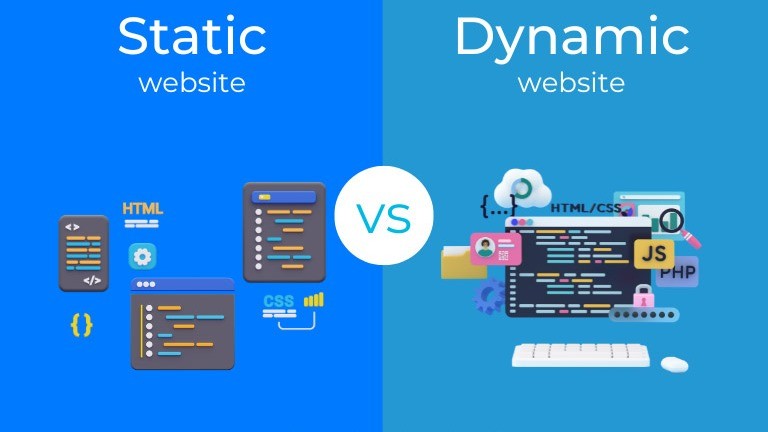
Websites can generally be divided into static and dynamic types based on how their content is created, stored, and delivered to users. Understanding the difference between these two models is essential for choosing the right website architecture for your goals, budget, and long-term scalability.
Static Websites
A static website delivers the same content to every visitor, exactly as it is stored on the server. Each page is pre-built and does not change unless a developer manually updates the source files.
In a static website, there is no database and no server-side processing involved when a user visits a page. The server simply retrieves the requested HTML file and sends it to the user’s browser.
How Static Websites Work
- Pages are written in HTML and styled with CSS
- Optional JavaScript may be used for basic interactivity
- No real-time data processing occurs
- Content remains fixed until manually edited and re-uploaded
Advantages of Static Websites
Faster loading speed
Because static pages require minimal processing, they load extremely quickly. This makes static websites ideal for performance-focused use cases and simple informational content.
Higher security
With no databases or server-side scripts, there are fewer attack surfaces. This significantly reduces the risk of hacking or data breaches.
Lower hosting cost
Static websites require fewer server resources and can often be hosted on inexpensive or serverless platforms.
Predictable performance
Traffic spikes rarely cause issues because the server only serves files without processing logic.
Limitations of Static Websites
Manual content updates
Any change to content requires editing files directly, which can be time-consuming and impractical for non-technical users.
Limited interactivity
Static websites cannot easily support features such as user accounts, comments, or personalized content.
Not suitable for large-scale content management
As the number of pages grows, managing content manually becomes inefficient.
Static websites are best suited for small business sites, landing pages, portfolios, documentation sites, and performance-critical projects.
Learn more about our Website Development
Dynamic Websites
A dynamic website generates content in real time based on user interactions, data from databases, or server-side logic. Unlike static websites, dynamic sites can display different content to different users.
Dynamic websites rely on server-side programming languages and databases to process requests and generate pages on demand.
How Dynamic Websites Work
- The browser sends a request to the server
- The server runs code (e.g. PHP, Python, Node.js)
- Data is retrieved from a database
- A customized HTML page is generated and sent to the user
Advantages of Dynamic Websites
Personalized user experience
Dynamic websites can display customized content based on user behavior, location, login status, or preferences.
Content Management Systems (CMS)
Most dynamic websites use a CMS, allowing non-technical users to update content easily without touching code.
Advanced user interaction
Features such as user logins, dashboards, comments, search functions, and eCommerce checkouts are only possible with dynamic systems.
Scalability and flexibility
Dynamic websites can grow in content and functionality without requiring a complete rebuild.
Limitations of Dynamic Websites
More complex development
Dynamic systems require both front-end and back-end development, increasing technical complexity.
Higher server resource usage
Because each request involves processing and database queries, dynamic websites require stronger hosting infrastructure.
Security considerations
Databases and server-side scripts must be properly secured and maintained to prevent vulnerabilities.
Today, most modern websites are dynamic, especially those that rely on frequent updates, user interaction, or large volumes of content.
See More: How to Check Website Credibility Using Quick Online Tools
Core Components of a Website
A fully functional website is not just a collection of pages. It is a system made up of multiple components that work together to deliver content reliably, securely, and efficiently.
1. Domain Name
A domain name is the human-readable address that users type into their browser, such as www.example.com. It serves as the digital identity of a website.
Behind the scenes, the domain name is mapped to an IP address, which computers use to locate the server hosting the website.
Key roles of a domain name:
- Makes websites easy to remember
- Represents brand identity
- Acts as the entry point to the website
Choosing a clear, relevant domain name improves credibility and memorability.
2. Web Hosting
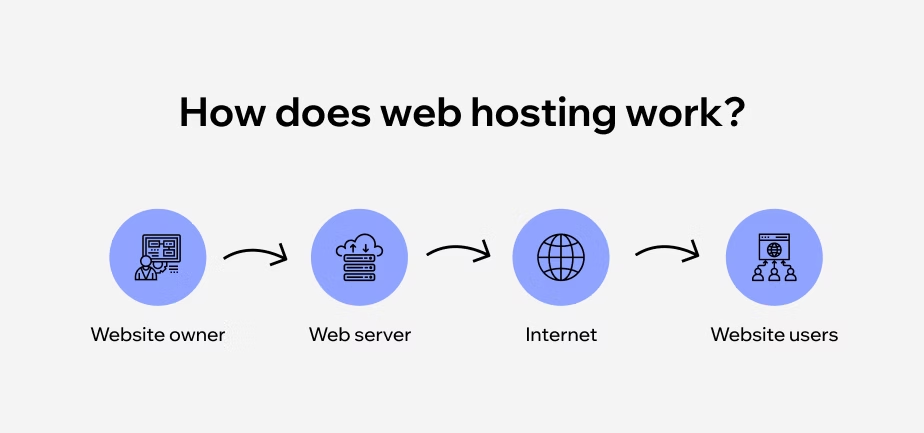
Web hosting is the service that stores website files and delivers them to users over the internet. Hosting servers operate 24/7 to ensure websites are always accessible.
Different types of hosting include:
- Shared hosting
- VPS hosting
- Cloud hosting
- Dedicated servers
The quality of hosting directly affects:
- Website speed
- Uptime reliability
- Security
- Scalability
A poorly hosted website may load slowly or experience frequent downtime, harming user trust and SEO.
3. Website Files
Website files form the visible and functional structure of a site.
HTML files define the structure and content of web pages.
CSS files control layout, colors, fonts, and responsiveness.
JavaScript files enable interactivity, animations, and dynamic behavior.
Media files such as images and videos enhance visual communication.
Together, these files determine how a website looks and behaves in the browser.
4. Database (Optional but Common)
A database stores structured data that can be retrieved and updated dynamically.
Dynamic websites use databases to store:
- Page content
- User accounts and profiles
- Orders and transactions
- Comments and form submissions
Databases allow websites to scale efficiently and manage large amounts of content without duplicating files.
5. Web Server
A web server is responsible for receiving requests from browsers and responding with the correct content.
Its main functions include:
- Handling incoming requests
- Running server-side code
- Communicating with databases
- Delivering content to users
The web server acts as the central coordinator that connects all website components into a working system.
See More: 10 Best Website Development Companies in Singapore (2026 Ranking)
Basic Website Terminology You Should Know
Before looking at how a website works step by step, it helps to know the handful of terms that come up in every conversation about websites. Here is a quick glossary.
- URL (Uniform Resource Locator): the full address of a specific page, made up of the protocol (https://), the domain (example.com), the path (/about-us) and optional parameters or anchors (?ref=home, #pricing).
- Homepage: the main entry point of a website — usually the first page people see when they type your domain. It should explain what you do and guide visitors to key actions.
- Browser: the software (Chrome, Safari, Edge, Firefox) that requests pages from a server and renders them on screen.
- HTML, CSS and JavaScript: HTML structures the content, CSS controls the look and layout, and JavaScript adds interactivity.
- IP address and DNS: every server has a numeric IP address; the Domain Name System translates a human-friendly domain into that IP.
- SSL/TLS certificate: encrypts data between the visitor and the server and shows the padlock / HTTPS in the address bar — essential for trust and SEO.
- CMS (Content Management System): software such as WordPress that lets you edit pages without writing code.
How Does a Website Work? (Step-by-Step Explanation)
To truly understand how a website works, we need to look beyond what appears on the screen and examine the technical process that happens behind the scenes every time a user visits a website. Although it feels instant to users, multiple systems communicate with each other in a precise sequence to deliver a web page.
From the moment a URL is typed into a browser to the final visual display on the screen, this process involves networking, servers, databases, and browser technologies—all working together in milliseconds.
Step 1: User Enters a Domain Name
The process begins when a user types a domain name (such as www.example.com) into the address bar of a web browser or clicks on a link.
At this point:
- The browser does not yet know where the website is located
- The domain name is only a human-friendly label
- The browser must translate this name into a machine-readable address
This step triggers the entire website-loading process.
Step 2: DNS Lookup (Domain Name System)
Next, the browser performs a DNS lookup to find the IP address associated with the domain name.
The DNS functions like the internet’s phonebook:
- It maps domain names to numerical IP addresses
- It allows browsers to locate the correct server on the internet
If the IP address is not already stored in the browser or local cache, the request is sent through multiple DNS servers until the correct address is found. This step usually takes only a few milliseconds but is critical for connecting the user to the correct server.
Step 3: Browser Sends a Request to the Web Server
Once the IP address is known, the browser sends an HTTP or HTTPS request to the web server hosting the website.
This request includes:
- The type of resource requested (web page, image, script)
- Browser information (user agent)
- Security and protocol details
- Cookies or session data (if applicable)
If the website uses HTTPS, an encrypted connection is established to protect data during transmission.
Step 4: Server Processing the Request
After receiving the request, the web server processes it.
- For static websites, the server simply locates the requested HTML file and prepares it for delivery.
- For dynamic websites, the server may:
- Run server-side code
- Query a database
- Generate content based on user data or context
This is the step where logic, authentication, personalization, and content generation happen. The server assembles the final response before sending it back to the browser.
Step 5: Server Sends the Response Back to the Browser
The server then sends a response containing:
- HTML files (page structure)
- CSS files (layout and styling)
- JavaScript files (interactivity and logic)
- Media assets (images, videos, fonts)
These files may be sent in stages, allowing the browser to begin processing before everything is fully downloaded. Efficient websites optimize this step to reduce loading time.
Step 6: Browser Rendering the Web Page
Once the browser receives the files, it begins the rendering process.
This involves:
- Parsing HTML to build the page structure
- Applying CSS styles to determine layout and appearance
- Executing JavaScript to enable dynamic behavior
- Loading additional resources as needed
The browser then visually displays the fully rendered web page on the user’s screen, allowing interaction such as scrolling, clicking, and form submission.
See More: 10 Best Website Development Companies in Singapore (2026 Ranking)
Front-End vs Back-End
A modern website is built on two major layers: front-end and back-end. These layers serve different purposes but must work together seamlessly to deliver a smooth user experience.
Front-End (Client-Side)
The front-end refers to everything users can see, interact with, and experience directly in their web browser. It focuses on presentation, usability, and interaction.
The main responsibility of the front-end is to:
- Display content clearly and attractively
- Respond to user actions such as clicks, scrolling, and form inputs
- Adapt layouts across different screen sizes and devices
Core Front-End Technologies
HTML (HyperText Markup Language)
Defines the structure of a web page, such as headings, paragraphs, images, and links.
CSS (Cascading Style Sheets)
Controls visual design, including layout, colors, fonts, spacing, and responsive behavior.
JavaScript
Adds interactivity and dynamic behavior, such as animations, pop-ups, form validation, and real-time content updates.
A well-built front-end directly impacts user experience, engagement, and conversion rates.
Back-End (Server-Side)
The back-end operates behind the scenes and is responsible for logic, data handling, and security. Users never see the back-end directly, but it powers everything the front-end displays.
The back-end is responsible for:
- Processing user requests
- Managing databases
- Handling authentication and permissions
- Ensuring data security and system stability
Core Back-End Technologies
Server-side languages
Such as PHP, Python, and Node.js, which process requests and generate responses.
Databases
Including MySQL and PostgreSQL, used to store content, user data, and transactions.
Server frameworks
Provide structure and efficiency for building scalable applications.
Without a reliable back-end, even the most beautiful front-end cannot function properly.
Why Front-End and Back-End Must Work Together
A website is only effective when the front-end and back-end communicate efficiently. The front-end sends requests, the back-end processes them, and the results are delivered back to the user. Any disconnect between the two can lead to slow performance, broken features, or poor user experience.
What Is a CMS (Content Management System)?
A Content Management System (CMS) is a software platform that allows users to create, edit, and manage website content without writing code.
Instead of manually editing HTML files, users can log into an admin dashboard and update content through a visual interface.
Popular CMS Platforms
- WordPress – The most widely used CMS globally
- Joomla – Flexible and powerful for complex sites
- Drupal – Highly secure and scalable for enterprise use
Benefits of Using a CMS
Easy content updates
Non-technical users can publish and edit pages, blog posts, and media quickly.
User role management
Different permission levels allow teams to collaborate safely.
Plugin and theme ecosystem
Extend functionality and design without rebuilding the site from scratch.
A CMS makes websites more sustainable and scalable in the long term.
Website Security Basics
Website security is the practice of protecting websites from threats, data breaches, and malicious attacks. Security is critical not only for protecting data but also for maintaining user trust.
Key Website Security Elements
SSL Certificates (HTTPS)
Encrypt data exchanged between the browser and server, protecting sensitive information.
Firewalls
Block malicious traffic and unauthorized access attempts.
Regular updates
Keep software, plugins, and systems protected against known vulnerabilities.
Secure authentication
Strong passwords, access control, and login protection reduce attack risks.
A secure website improves credibility and is favored by search engines.
Website Performance and Speed
Website performance refers to how quickly and efficiently a site loads and responds to user interactions. Speed is a critical factor for both user experience and SEO.
Factors That Influence Website Performance
Hosting quality
Server performance directly affects loading speed and stability.
Image optimization
Large, unoptimized images slow down page load times.
Caching
Stores frequently accessed data to reduce server processing.
Code efficiency
Clean, optimized code reduces unnecessary resource usage.
Fast websites keep users engaged and reduce bounce rates.
See More: 10+ Most Important Google Algorithms
SEO and Websites
Search Engine Optimization (SEO) ensures that a website can be discovered and ranked by search engines like Google.
SEO is not a single tactic—it is a system of best practices that align websites with search engine algorithms.
Core SEO Elements
Technical structure
Clean code, proper indexing, and crawlability.
Content quality
Relevant, authoritative, and valuable content.
Mobile responsiveness
Optimized experiences across devices.
Page speed
Fast-loading pages rank better and convert more users.
Without SEO, even the best-designed website remains invisible online.
The Role of Mobile-Friendly Design
With the majority of users accessing websites via smartphones, mobile-friendly design is essential.
Responsive design ensures that websites:
- Display correctly on all screen sizes
- Remain easy to navigate on touch devices
- Meet Google’s mobile-first indexing standards
Mobile optimization directly impacts user satisfaction and search rankings.
Common Website Mistakes Beginners Make
- Overcomplicating the design — too many fonts, colours and animations distract from the message.
- Ignoring mobile users — most visits in Singapore come from phones, so every page must be responsive.
- Slow loading times — heavy images and cheap hosting push visitors (and rankings) away.
- Ignoring SEO basics — missing titles, meta descriptions and headings make pages hard for Google to understand.
- No clear call-to-action — every page should tell visitors what to do next: call, enquire, book or buy.
Website Maintenance
A website is not a one-time project—it requires continuous care to remain secure, fast, and relevant.
Key Website Maintenance Tasks
- Software and CMS updates
- Security patches
- Content refresh and accuracy checks
- Performance and uptime monitoring
Neglected websites become slow, vulnerable, and outdated, damaging both user trust and SEO.
Future of Websites
Websites are constantly evolving alongside technology and user expectations.
Key trends shaping the future include:
- Artificial intelligence for personalization and automation
- Progressive Web Apps (PWA) for app-like experiences
- Voice search optimization for conversational queries
- Headless CMS for flexible, multi-channel content delivery
The future of websites is faster, smarter, more adaptive, and more user-centric.
Frequently Asked Questions
What is the difference between a website and a web application?
Websites and web applications both run in browsers but serve different purposes. Websites mainly display information, while web applications enable interactive tasks and dynamic data handling.
Core Purpose
Websites focus on static or lightly dynamic content for browsing, like news sites or company pages.
Web applications support user-driven actions, such as editing documents or managing accounts, often with real-time updates.
Key Differences
| Aspect | Website | Web Application |
| Interaction | One-way (read/view) | Two-way (input/process) |
| Content | Mostly static | Dynamic/personalized |
| Authentication | Rarely needed | Often required |
| Complexity | Frontend-focused (HTML/CSS/JS) | Full-stack with backend/databases |
| Examples | Wikipedia, blogs | Gmail, Trello |
Development Needs
Websites use simple tech stacks for display.
Web apps demand servers, databases, and security for data operations.
See More: How to Get Your Content to Appear in Google’s AI Overview
Can a website exist without hosting?
No, a website cannot exist or function publicly without hosting. Hosting provides the server infrastructure to store files and make them accessible via the internet.
Why Hosting Is Essential
Websites rely on web servers to deliver HTML, CSS, images, and other files to users’ browsers over HTTP/HTTPS.
Without hosting, files remain local (e.g., on your computer) and unreachable by others online.
Alternatives and Limits
Local development tools like XAMPP let you preview sites offline, but they aren’t public websites.
Self-hosting on your own hardware counts as hosting, requiring internet, domain setup, and security.
Hosting Basics
| Requirement | Role |
| Domain Name | Translates human-readable addresses to server IP |
| Server Space | Stores and serves website files |
| Internet Access | Enables global connectivity |
How long does it take to build a website?
Building a website typically takes anywhere from a few hours to several months. The exact time depends on complexity, tools used, and team expertise.
Timeline by Type
| Website Type | Estimated Time |
| Simple one-page | 1-2 weeks |
| Small business | 4-6 weeks |
| E-commerce | 2-3 months |
| Custom/enterprise | 6+ months |
Key Factors
Complexity increases time through custom features, animations, or integrations.
Content creation and revisions can add weeks if not prepared upfront.
Builders like WordPress speed it up for beginners (hours to days), while custom coding extends it.
Do all websites need a database?
No, not all websites need a database. Static sites with fixed content can operate solely on HTML, CSS, and JavaScript files served from a host.
When Databases Aren’t Needed
Simple brochure or portfolio sites store everything in files, avoiding databases for speed and simplicity.
Examples include one-page sites or blogs using flat-file CMS like GetSimple or Grav, which save data as XML or Markdown.
When Databases Are Essential
Dynamic sites require databases for user data, logins, or e-commerce, like WordPress or online stores.
Without one, features like search, personalization, or real-time updates become impossible or rely on external services.
Comparison
| Type | Database? | Examples |
| Static | No | Portfolio, landing page |
| Dynamic/CMS | Optional | Grav, Kirby |
| Interactive | Yes | Forums, shops |
See More: Best Professional Web Design Services in Singapore
Is coding required to manage a website?
No, coding is not required to manage most websites. No-code platforms and content management systems (CMS) provide visual interfaces for updates, design tweaks, and content changes.
No-Code Options
Platforms like Wix, Squarespace, and Webflow use drag-and-drop editors to handle layouts, forms, and media without writing code.
WordPress offers themes and plugins that let beginners manage posts, pages, and e-commerce via dashboards.
When Coding Helps
Advanced customizations, like unique integrations or performance tweaks, often need code for full control.
Static sites on GitHub Pages require initial setup knowledge but minimal ongoing coding.
Comparison
| Approach | Coding Needed? | Best For |
| Website Builders (Wix) | No | Small sites, portfolios |
| CMS (WordPress) | Minimal | Blogs, stores |
| Custom Code | Yes | Complex apps |
Looking for a professional website that converts visitors into customers?
Our team provides professional website design services in Singapore tailored to your business goals.
Contact us to schedule a free consultation and explore the right solution for your brand.