

The “Price vs. Value” Dilemma
For SMEs and startups in Singapore, cash flow is king. When you search for cheap web design in Singapore, you aren’t looking for a “bad” website; you are looking for a smart investment. You need a digital storefront that builds credibility without draining your operating capital.
However, the digital market is flooded with offers ranging from SGD 200 to SGD 10,000. How do you distinguish between a good deal and a trap? The secret lies in understanding what creates value, minimizing technical debt, and ensuring your “cheap” website can actually generate revenue.
1. The “Ownership Trap”: What You Must Control
The biggest risk with cheap web design packages is not the design itself—it is the ownership. Many budget providers lower their upfront fees by retaining ownership of your assets.
Business Owner Checklist:
- Domain Name: Ensure the domain (e.g., yourcompany.sg) is registered in your name, not the developer’s. If they disappear, you lose your brand identity.
- Source Code: Can you move your website to another hosting provider later? If the answer is “No,” you are renting, not buying.
- Admin Access: You must have “Administrator” level access. Do not settle for “Editor” access, which restricts your control.
2. Where to Cut Costs (And Where NOT To)
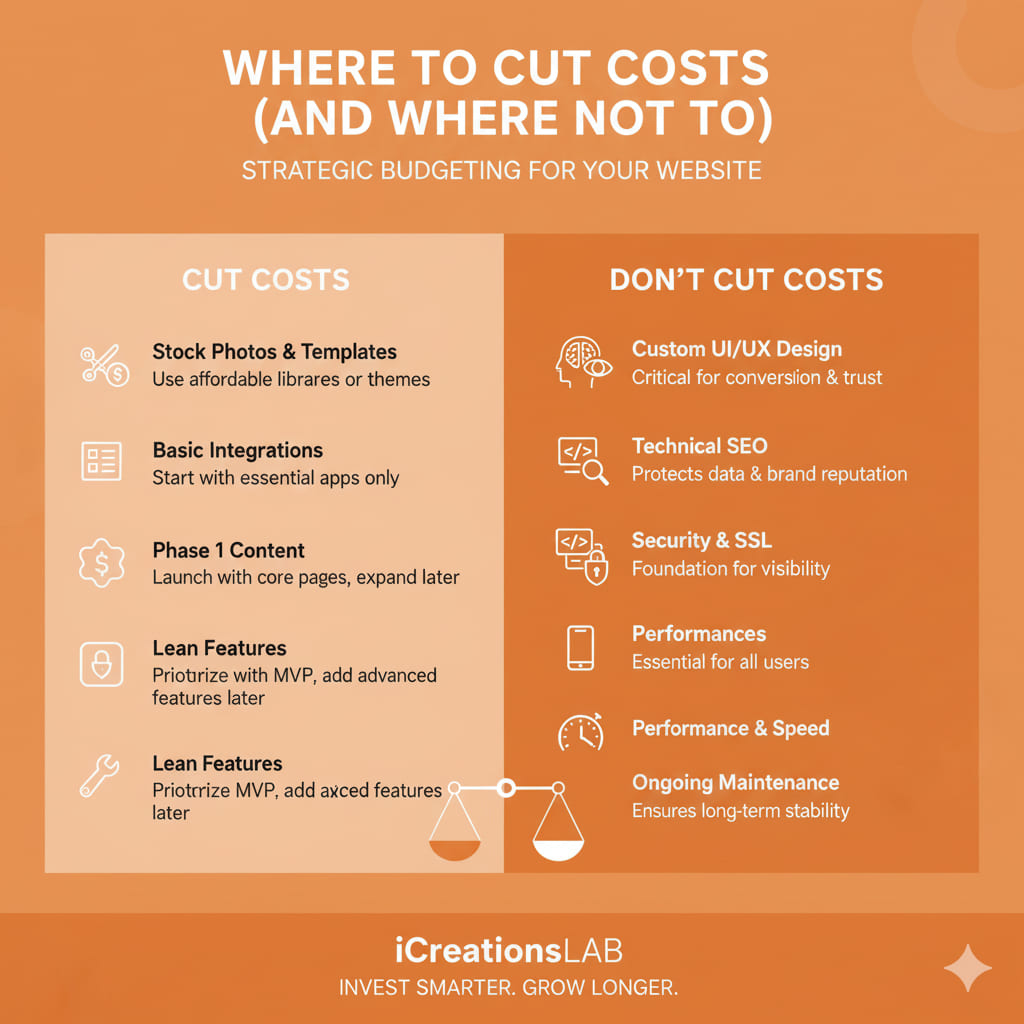
To achieve cheap web design in Singapore that looks premium, you must compromise strategically.
- CUT COSTS on Custom Coding: Do not build from scratch. Use established CMS platforms like WordPress. They power 43% of the web and offer robust security and features at a fraction of the cost of custom HTML/PHP.
- CUT COSTS on Complexity: Launch with a Minimum Viable Product (MVP). Start with a 5-page site (Home, About, Services, Blog, Contact). You do not need AI chatbots or complex animations on Day 1.
- DO NOT Cut Costs on Hosting: Cheap hosting ($2/month) leads to slow loading times. In Singapore, consumers are impatient. If your site takes more than 3 seconds to load, you lose 40% of traffic. Invest in decent local hosting or cloud solutions (like AWS or DigitalOcean via managed providers).
3. The Hidden Costs of “Cheap” Websites
A truly affordable website is one with low running costs. Be wary of agencies that offer a low design fee but hide costs elsewhere:
- Maintenance Fees: Does the agency charge SGD 100/hour just to change a text paragraph?
- Plugin Licenses: Some premium features (sliders, forms) require annual fees. Ask upfront who pays for these licenses after the first year.
- Mobile Responsiveness: In 2025, Google indexes the mobile version of your site first. If a developer charges “extra” for mobile design, walk away. It should be standard.
4. Design Strategy for ROI
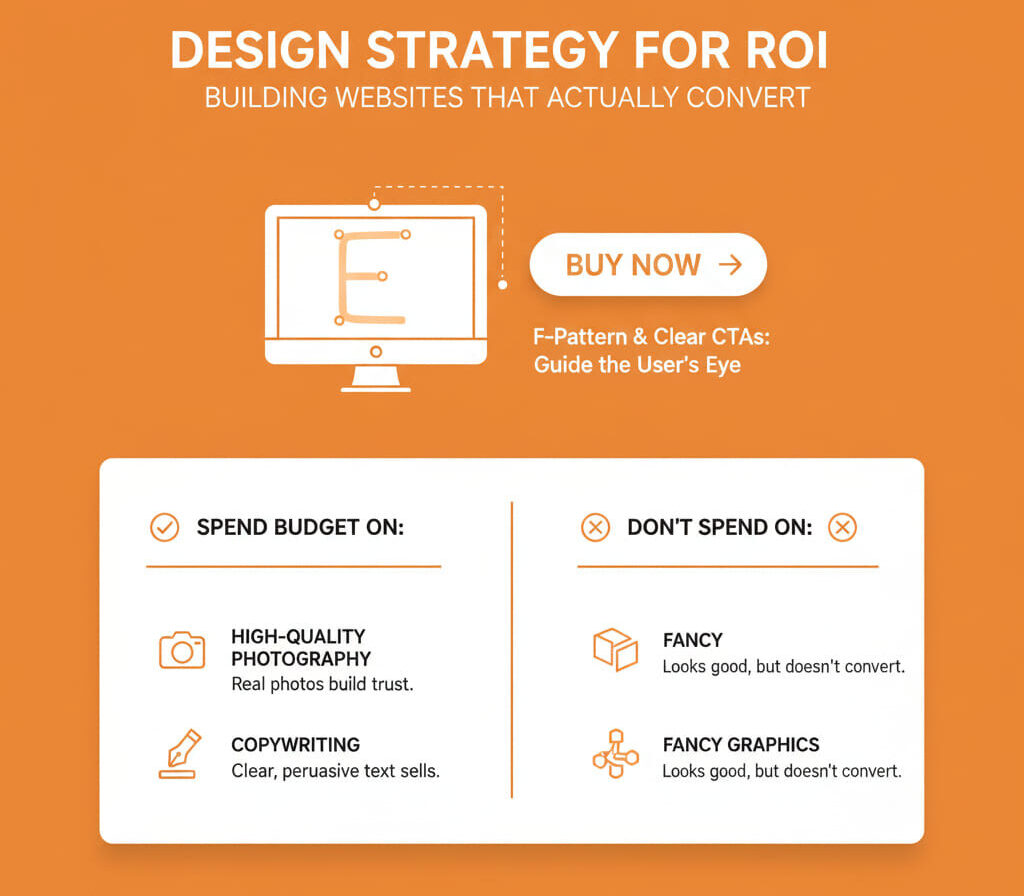
A pretty website is useless if it doesn’t convert. Even a budget website must follow the “F-Pattern” layout (how eyes scan screens) and have clear Call-to-Actions (CTAs).
Instead of spending budget on fancy graphics, spend it on:
- High-Quality Photography: Real photos of your team/products build trust faster than stock images.
- Copywriting: Clear, persuasive text sells better than a complex design layout.
See More: How to Submit Your Website to Google, Bing & Cốc Cốc: The Complete 2025 SEO Guide
8 Essential Q&A: Technical Knowledge for Business Owners
When investing in a website, understanding the technical side protects your business and ensures long-term ROI. Here are 8 critical questions every SME or startup owner should grasp:
1. What is the difference between a “Static” and a “Dynamic” website?
- Static Website: Fixed HTML/CSS pages. Very fast and low-cost to host. Updating content requires coding knowledge, making it impractical for growing businesses.
- Dynamic Website (CMS like WordPress, Joomla, or Shopify for e-commerce): Content is stored in a database and displayed dynamically. Allows easy updates of products, blog posts, and multimedia without coding.
Why it matters: For businesses expecting frequent content updates or growth, a dynamic website saves time and money in the long run. A static site might cost less upfront, but updating it later could require developer support.
Pro Tip: Even on a budget, using a dynamic CMS enables future scalability, SEO optimization, and plugin integrations.
2. Why does “Page Speed” matter for revenue and SEO?
- Google considers page speed a ranking factor; faster pages appear higher in search results.
- User trust: a 1-second delay can reduce conversions by 7%, and mobile users are even less patient.
Examples:
- Slow-loading product pages can cause cart abandonment.
- Websites optimized for speed often see higher engagement and repeat visits.
Pro Tip: Optimize images, leverage caching, and use Content Delivery Networks (CDNs) to reduce load times without increasing hosting costs.
3. What is the “PDPA” and how does it affect my website?
- The Personal Data Protection Act (PDPA) governs how businesses collect, store, and use personal data in Singapore.
- Any website that collects emails, contact details, or payment info must display a Privacy Policy and implement a Cookie Consent banner.
Risk: Non-compliance can result in heavy fines, regardless of company size.
Pro Tip: Integrate consent tools that allow users to opt-in/out and regularly audit your website for data collection compliance.
See More: Web Design Agency Singapore: Services, Costs, Process & How to Choose the Right Partner
4. Should I use a “Page Builder” or a “Self-Hosted” site?
- Page Builders (Wix, Squarespace, Shopify): Quick setup, templates included, but monthly costs can escalate. You often do not own your website data fully.
- Self-Hosted (WordPress, Joomla, Magento): Higher initial learning curve, but lower long-term costs and full ownership of data and files.
Example: A Wix site may be fine for a one-page brochure, but if your business grows and needs e-commerce, a self-hosted WordPress or Shopify site is more cost-effective.
Pro Tip: Consider starting with a self-hosted site even on a small budget; hosting fees are low, and you retain complete control.
5. What is “Scalability” in web design?
- Scalability refers to your website’s ability to handle growth without crashing or requiring a complete rebuild.
- Can it handle more visitors, product pages, blog posts, or an e-commerce store as your business grows?
Real-world scenario: A small café launches a website that attracts 50 visitors/day. A viral marketing campaign brings 10,000 visitors overnight. A scalable website remains functional without downtime.
Pro Tip: Build on CMS platforms with cloud hosting that can scale resources automatically. Plan for future integrations like payment gateways or booking systems.
6. What is the role of a “Sitemap”?
- A sitemap is a blueprint of your website, helping search engines crawl and index content efficiently.
- Without it, Google may take months to discover new pages, affecting SEO performance.
Pro Tip: Submit your sitemap via Google Search Console and update it whenever new pages are added. Include separate sitemaps for images, videos, or e-commerce products to improve visibility.
7. Why is “Website Security” critical?
- Small business websites are frequent targets for hackers. Common attacks include spam bots, malware injection, or ransomware.
- Consequences of poor security: website downtime, blacklisted domains, customer data theft, loss of trust.
Must-have security measures:
- SSL certificates (HTTPS)
- Firewalls
- Regular malware scans
- Limit login attempts and strong password enforcement
Pro Tip: Back up your website automatically every day. Even cheap websites can be secured with low-cost plugins and hosting features.
8. What is the difference between “UI” and “UX”?
- UI (User Interface): How your site looks—colors, fonts, buttons, layout.
- UX (User Experience): How your site functions—ease of navigation, speed, clarity of CTAs, checkout process smoothness.
Example: A website with beautiful graphics (UI) but confusing menus (UX) will lose sales. Good UX ensures visitors can find information quickly and complete actions without friction.
Pro Tip: For SMEs, prioritize UX over UI. Invest in simple, clear design that drives conversions rather than flashy visuals that don’t sell.