
Achieve a Website that Promotes Growth
Website Development — Custom, Scalable & Built for Growth
About Service
Your website can make or break your business. At iCreationsLab, we provide professional website development services in Singapore that help businesses build a strong, credible online presence and achieve sustainable growth.
As an established website development company in Singapore, our mission is simple: to help our clients succeed online. Every member of our team is a specialist in their field — working together to create websites that deliver measurable business value. With over 17 years of experience in website development and digital marketing, we understand what it takes to build websites that engage users, communicate your brand message clearly, and support long-term business objectives.
We believe technology should serve a purpose. That is why our website development approach balances practical functionality, strong performance, and clean visual design. The result is a website you can be proud of — one that truly promotes growth.
What sets our website development apart:
- Over 17 years of experience serving Singapore businesses across all industries
- In-house team of developers, designers, and SEO specialists working together
- Every website is built with performance, security, and scalability in mind
- Full project transparency from planning through to handover
- Post-launch support and maintenance available
Technologies We Use
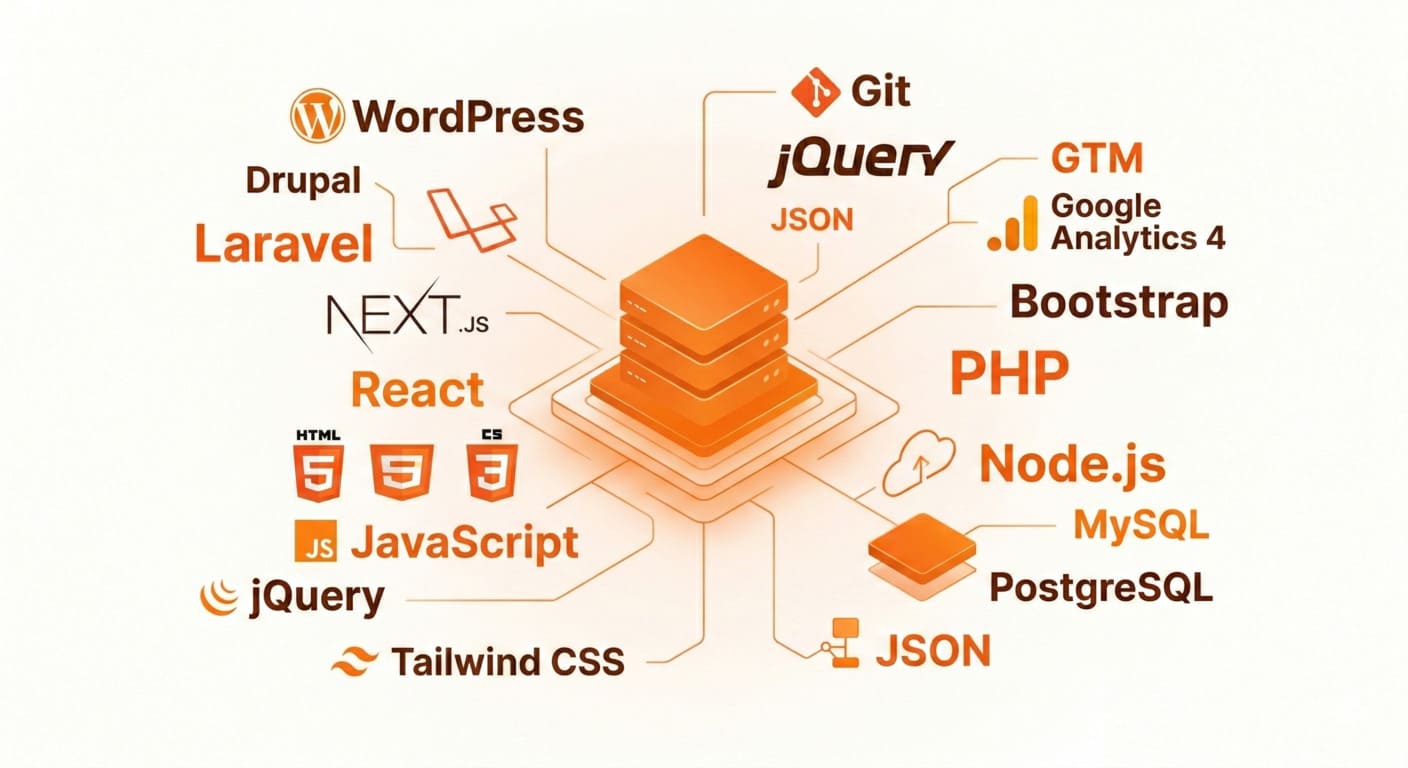
Our development team works with a proven, modern technology stack to ensure your website is fast, secure, and easy to maintain. We select the right tools based on your specific business needs — not a one-size-fits-all approach.
| CMS & Frameworks | Front-End | Back-End & DB | Tools & QA |
|---|---|---|---|
| WordPress | HTML5 / CSS3 | PHP / Node.js | Git Version Control |
| Drupal | JavaScript / jQuery | MySQL / PostgreSQL | Google Analytics 4 |
| Laravel (PHP) | Tailwind CSS | REST API / JSON | GTM Setup |
| Next.js / React | Bootstrap | Cloud Hosting (AWS, GCP) | Cross-browser Testing |
Development Process
We follow a structured, transparent development process that keeps you informed at every stage.
| # | Step | Description |
|---|---|---|
| 01 | Discovery & Planning | We start by understanding your business goals, target audience, and technical requirements. A detailed project brief and sitemap are prepared before any development begins. |
| 02 | UI/UX Wireframing | Our designers create wireframes and mockups that map the user journey, page structure, and key conversion points — ensuring the final build is purposeful and user-friendly. |
| 03 | Front-End Development | We bring the design to life with clean, standards-compliant HTML, CSS, and JavaScript — fully responsive across all devices and optimised for fast load times. |
| 04 | Back-End & CMS Integration | Our developers build the server-side logic, database architecture, and integrate your chosen CMS (typically WordPress) so your team can manage content independently. |
| 05 | Testing & Quality Assurance | Every page is tested across browsers, devices, and screen sizes. We check performance, broken links, form functionality, and security before sign-off. |
| 06 | Launch & Handover | We deploy your website to a live server, configure DNS, set up Google Analytics, and conduct a full handover session so your team is confident managing the site. |
Looking for creative web design in Singapore?
Explore our Website Design services
For more information
![]() Our Web Design Solutions Include: CMS Website Development
Our Web Design Solutions Include: CMS Website Development ![]() Benefits of a CMS Website
Benefits of a CMS Website![]() Get in Touch with Us Receive a free consultation today!
Get in Touch with Us Receive a free consultation today! ![]() Learn More About Website Development
Learn More About Website Development
 Our Web Design Solutions Include: CMS Website Development
Our Web Design Solutions Include:CMS Website Development
For businesses that need flexibility and ongoing control over their website content, our CMS website development solutions are the ideal choice. We specialise in developing customised WordPress-based CMS websites that allow you and your team to manage content with ease — no coding knowledge required.
Whether you need to update product information, publish blog posts, or make page changes on the go, our CMS solutions give you full control without relying on a developer for every update.
What Our CMS Development Includes:
- Clean, standards-compliant code built on WordPress
- Fully responsive across desktop, tablet, and mobile
- Custom post types, page templates, and content fields
- Role-based admin access (author, editor, administrator)
- Plugin integration for forms, SEO, analytics, and more
- Security hardening and performance optimisation from the start
Benefits of a CMS Website
- Edit website content anytime, anywhere with internet access
- Instant updates upon publishing
- No HTML or coding knowledge requiredv
- Multiple admin accounts for website management
- Reduced monthly website maintenance costs

Get in Touch with Us{Receive a free consultation today!}

Learn More About Website Development
How long does website development take in Singapore?
Read allWebsite development time in Singapore varies widely based on project complexity, from a few weeks for basic sites to several months for custom applications. Agencies typically provide timelines including planning, design, development, testing, and launch phases.
Typical Timelines
Timelines depend on the website type, as outlined in Singapore market data.
Website Type Estimated Time Basic Website 2–4 weeks Corporate Website 4–10 weeks E-commerce Website 6–16 weeks Custom Web App 3–12 months Simple sites often take 8–16 weeks total, while apps range from 12–20 weeks minimum.
Key Factors Affecting Duration
Client responsiveness, content readiness, and revisions significantly impact timelines—delays here can add 20–40%.
Scope creep, like adding features mid-project, or third-party integrations extend development by weeks or months.
Prompt feedback and clear requirements upfront help keep projects on track.What is the difference between website design and website development?
Read allWebsite design focuses on the visual and user experience aspects of a site, while website development handles the technical coding and functionality. In Singapore projects, design often precedes development, with timelines reflecting their distinct roles.
Core Differences
Aspect Website Design Website Development Primary Focus Aesthetics, layout, user interface Functionality, code, backend systems Key Tasks Wireframes, mockups, color schemes HTML/CSS/JS coding, databases, APIs Tools Used Figma, Sketch, Photoshop Code editors, frameworks like React Skills Required Creativity, UX principles Programming, problem-solving Design makes sites appealing and intuitive; development ensures they work across devices and handle data securely.
Project Overlap
Designers and developers collaborate closely—designers create prototypes that developers code into reality. In Singapore timelines (2–16 weeks total), design might take 2–4 weeks, with development following.
Do you provide website maintenance after development is complete?
Read allYes. We offer ongoing website maintenance packages that cover security updates, plugin management, performance monitoring, content updates, and technical support. Keeping your website maintained is essential for security, uptime, and continued SEO performance. Our maintenance plans are available on a monthly retainer basis and tailored to your website’s needs. Contact us to find out which plan is right for you.
Can you build a website with a custom CMS in Singapore?
Read allYes. We specialise in custom CMS website development using WordPress as our primary platform. We configure and customise the CMS to match your exact content structure, workflows, and team permissions. Whether you need a simple content editor or a multi-user publishing system, we build CMS solutions that are intuitive and practical for your team to manage day-to-day.
How much does website development cost in Singapore?
Read allWebsite development costs in Singapore range from SGD 1,000 for basic sites to over SGD 50,000 for custom apps, depending on complexity and provider type. Prices have held steady into 2026, influenced by features, agency vs. freelancer, and add-ons like hosting.
Cost by Website Type
Agency pricing is common for professional builds, as shown below.
Type Cost Range (SGD) Key Features Basic/Informational 1,000–6,000 5–10 pages, templates, contact form Business/Corporate 4,000–15,000 Custom design, CMS, SEO basics E-commerce 6,000–30,000 Cart, payments, inventory Custom Web App/CMS 15,000–80,000+ Bespoke backend, integrations Freelancers cut 30–50% off agency rates but carry higher risk; DIY starts at SGD 150–500.
Additional Expenses
Domain/hosting adds SGD 100–2,000/year; maintenance SGD 50–300/month; content SGD 100–300/page. Custom features like APIs boost costs by 20–50%.