
Choosing an eCommerce platform is one of the most consequential decisions an entrepreneur will make. It is not merely a choice of software; it is a choice between two distinct business philosophies: the convenience of an all-in-one solution (Shopify) versus the limitless flexibility of an open-source ecosystem (WooCommerce).
As of 2026, these two giants dominate the global eCommerce landscape. Together, they power millions of online stores, yet they cater to fundamentally different types of users.
This guide delves deep into the architecture, pricing models, SEO capabilities, and scalability of both platforms to help you decide which one aligns with your business goals.
At a Glance: The Executive Summary
Before we dive into the deep analysis, here is a high-level comparison of the two contenders.
| Feature | Shopify | WooCommerce |
| Type | Hosted Platform (SaaS) | Self-Hosted (Open Source Plugin) |
| Best For | Beginners, rapid scaling, hands-off tech management. | DIYers, content-heavy sites, complete control seekers. |
| Ease of Use | High. Very beginner-friendly. | Moderate. Requires learning WordPress. |
| Setup Time | Minutes (Sign up and sell). | Hours/Days (Hosting, domain, install). |
| Pricing | Monthly subscription ($29+) + Transaction fees. | Free software, but costs for hosting/plugins ($10 – $500+). |
| Support | 24/7 Phone, Chat, Email. | Community forums, Host support, or hire a dev. |
| Scalability | Native scaling (Shopify Plus). | Infinite scaling (dependent on hosting infrastructure). |
Learn more about our website design services.
1. The Core Philosophy: Hosted vs. Self-Hosted
To understand the difference, you must understand the architecture.
Shopify: The “Walled Garden” (Hosted)

Shopify is a SaaS (Software as a Service) tool. When you use Shopify, you are renting a store.
- The Good: They handle the hosting, security, caching, and software updates. You don’t need to know what an SSL certificate or a PHP version is.
- The Bad: You are playing by their rules. You cannot modify the core code of the platform, and if you stop paying, your site disappears.
WooCommerce: The “Open Playground” (Self-Hosted)
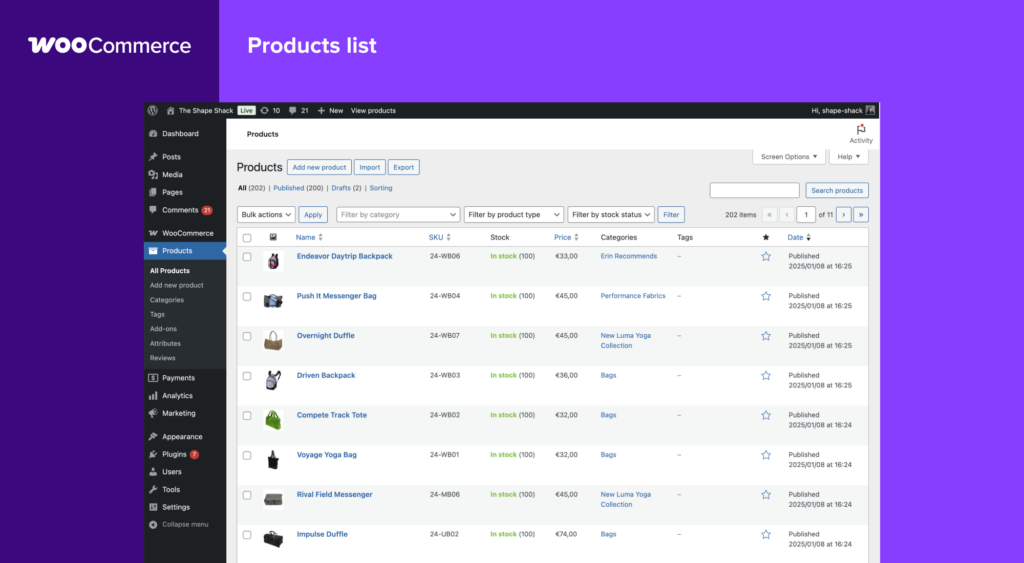
WooCommerce is a generic open-source plugin built for WordPress. It turns a standard website into a functional store.
- The Good: You own the code and the data. You can host it anywhere (SiteGround, Bluehost, AWS). You can modify anything.
- The Bad: You are the IT manager. If the site crashes, if security fails, or if a plugin update breaks the checkout, it is your responsibility to fix it.
2. Ease of Use and Initial Setup
Shopify: The Guided Experience
Shopify creates a friction-free entry into eCommerce. Upon signing up, a wizard guides you through adding products, setting up payments, and choosing a domain. The dashboard is intuitive, separating orders, products, and analytics clearly.
Verdict: You can launch a legitimate store in an afternoon with zero coding knowledge.
WooCommerce: The Construction Project
WooCommerce requires a pre-flight checklist:
- Buy a domain name.
- Purchase web hosting.
- Install WordPress.
- Install the WooCommerce plugin and configure it.
- Find and install a theme.
While many hosting providers now offer “One-Click WooCommerce Installs,” the learning curve remains steeper than Shopify. You must navigate the WordPress dashboard, which mixes blog settings with store settings.
See More: Website Design Price Guide 2025 | How Much Does It Really Cost?
3. Design and Themes: Aesthetics vs. Customization
Shopify Themes
Shopify offers a curated selection of free and paid themes (ranging from $180 to $350).
- Pros: Every theme is mobile-responsive, code-optimized, and professionally designed. They are guaranteed to work with future Shopify updates.
- Cons: Customization is limited to the sections available in the theme editor unless you know the specific coding language “Liquid.”
WooCommerce Themes
Because it runs on WordPress, you have access to thousands of themes from repositories like ThemeForest.
- Pros: Limitless variety. You can buy a theme for $50 that looks like a million-dollar brand. You can also build a custom theme from scratch using page builders like Elementor or Divi.
- Cons: Quality control varies wildly. A poorly coded theme can slow down your site and hurt your SEO.
4. Pricing: The Subscription vs. The “Free” Illusion
This is where the comparison gets complex.
The Cost of Shopify
Shopify’s pricing is transparent but can get expensive as you scale.
- Basic Shopify: ~$29/month.
- Shopify: ~$79/month.
- Advanced Shopify: ~$299/month.
- Transaction Fees: If you don’t use Shopify Payments, they charge an extra 0.5% to 2% per transaction.
- Apps: Many essential features (reviews, subscriptions, upsells) require paid apps, adding $20-$100/month to your bill.
The Cost of WooCommerce
The software is free, but a store is not.
- Hosting: $5 – $100+ per month (cheap shared hosting vs. managed cloud hosting).
- Domain: $12/year.
- Premium Plugins: While there are free alternatives, premium plugins for SEO (Yoast), Speed (WP Rocket), or Payments usually cost $50-$200/year each.
- Developer Fees: If something breaks, you pay an hourly rate to a developer.
Summary: Shopify is a predictable monthly OPEX (Operating Expense). WooCommerce usually has a lower entry cost but can become more expensive than Shopify if you require heavy customization and managed hosting.
5. Payment Gateways and Transaction Fees
Shopify heavily incentivizes you to use Shopify Payments.
- If you use it, there are 0% transaction fees (you only pay standard credit card processing rates).
- If you use a third-party gateway (like PayPal or Stripe) alongside Shopify, Shopify charges an additional fee (2%, 1%, or 0.5% depending on your plan).
WooCommerce is payment-agnostic.
- It supports Stripe, PayPal, Square, Authorize.net, and hundreds of regional gateways.
- Zero transaction fees charged by WooCommerce itself. You only pay the processor’s fee (e.g., Stripe’s 2.9% + $0.30).
Winner: If you are in a country where Shopify Payments is not available, WooCommerce is significantly cheaper regarding per-sale fees.
See More: Best Web Design Agency In Singapore 2025 – Top Picks & Guide
6. SEO Performance (Search Engine Optimization)
SEO is the lifeblood of eCommerce.
Shopify SEO
Shopify has good “out of the box” SEO. It handles:
- Sitemaps (generated automatically).
- Canonical tags.
- SSL certificates.
- The Downside: You cannot change the URL structure. For example, product pages are forced to be yourstore.com/products/product-name. This rigid structure can be frustrating for advanced SEO strategies.
WooCommerce SEO
WooCommerce is built on WordPress, which is originally a blogging platform. This gives it a massive advantage in content marketing.
- Customization: With plugins like RankMath or Yoast SEO, you can edit every piece of metadata, change URL structures, and manage redirects with granular control.
- Blogging: The blogging capabilities of WordPress far exceed Shopify’s basic blog feature.
Verdict: For pure technical SEO control and content marketing, WooCommerce wins.
7. Extensions and Plugins
Both platforms rely on third-party software to extend functionality.
- Shopify App Store: Highly curated. Apps are vetted for security and compatibility. They integrate seamlessly but usually require a monthly subscription.
- WordPress Plugin Repository: Over 59,000 plugins. You can find a plugin for almost anything (often for free or a one-time fee). However, plugins can conflict with one another, causing site crashes (“The White Screen of Death”).
8. Security and Maintenance
Shopify (The Fortress):
Shopify is Level 1 PCI DSS compliant. They monitor for hacks, manage compliance, and handle backups. As a user, you barely have to think about security.
WooCommerce (The Private Estate):
Security is 100% up to you. You must:
- Get an SSL certificate.
- Configure a security plugin (e.g., Wordfence).
- Regularly update WordPress, the theme, and plugins.
- Set up backups.
- Risk: WordPress is the most hacked CMS in the world simply because it is the most popular. If you are negligent with updates, your store is vulnerable.
See More: Best Web Developer Singapore | Build Fast, Secure & SEO-Friendly WebsitesSee More: Top Tips for Website Design in Singapore: Boost Your Business Online
9. Scalability: Can It Grow With You?
Shopify:
Shopify is designed to scale. As your traffic grows, their servers handle the load. You don’t need to upgrade bandwidth. For enterprise brands (like Gymshark or Kylie Cosmetics), Shopify Plus offers enterprise-grade power.
WooCommerce:
WooCommerce can scale infinitely, but only if your hosting does. A $5/month shared hosting plan will crash if you get a traffic spike. To scale WooCommerce, you need managed WordPress hosting (like WPEngine or Kinsta) which can cost hundreds of dollars a month.
10. Dropshipping: The Special Use Case
Dropshipping requires tight integration with suppliers.
- Shopify: The undisputed king of dropshipping. Apps like DSers, Spocket, and CJ Dropshipping connect seamlessly. The system is built for the high-volume, low-margin model of dropshipping.
- WooCommerce: Works well with plugins like AliDropship. It is a good choice if you want to avoid monthly fees while testing products, but setting up the automation is more technical.
Final Verdict: Which One Should You Choose?
Choose Shopify If:
- You want a store that “just works” out of the box.
- You have no technical skills and no desire to hire a developer.
- You want access to 24/7 dedicated support.
- You are a dropshipper who needs quick integration.
- You value time over detailed cost optimization.
Choose WooCommerce If:
- You are already familiar with WordPress.
- You want full ownership of your data and code.
- You have a specific, complex design requirement that themes can’t handle.
- You are on a tight budget and want to avoid monthly subscription fees.
- You run a content-heavy site (like a magazine) and want to sell merchandise on the side.
Looking for a professional website that converts visitors into customers?
Our team provides professional website design services in Singapore tailored to your business goals.
Contact us to schedule a free consultation and explore the right solution for your brand.
Is it difficult to migrate from WooCommerce to Shopify (or vice versa)?
Migrating between WooCommerce and Shopify is moderately difficult but manageable with apps and checklists, taking days to weeks depending on store size. WooCommerce to Shopify proves easier for most merchants due to structured exports and import tools, while the reverse demands more custom work. Both directions risk data inconsistencies or SEO loss without proper planning.
WooCommerce to Shopify
Export products, customers, and orders via CSV or apps like Matrixify, then import directly into Shopify with minimal mapping issues. Challenges include recreating custom themes and ensuring metafields transfer, but automated services reduce effort to 9 steps.
Shopify to WooCommerce
Use plugins like S2W or LitExtension for automated transfers of products, orders, and customers via API, often in 3 steps. Main hurdles involve design recreation, plugin reconfiguration, and SEO redirects, making it more technical.
Common Challenges
| Challenge | Woo to Shopify Impact | Shopify to Woo Impact |
| Data Mapping | Minor (CSV-friendly) | Higher (custom fields) |
| Design/Themes | Redesign needed | Full rebuild |
| SEO/Redirects | Essential setup | Critical, traffic loss risk |
| Passwords | Reset required | Encryption mismatch |
| Time/Downtime | 1-2 weeks | Longer, dev-dependent |
Migration Tools
Apps like Cart2Cart, LitExtension, and Matrixify handle 80-90% automatically, preserving SEO via redirects. Always backup first and test thoroughly to avoid 40% failure rates from data gaps.
Learn more about our website design services.
Do I need to know how to code to use WooCommerce effectively?
No, coding knowledge is not required to use WooCommerce effectively for most users. The platform offers a user-friendly dashboard, drag-and-drop builders like Elementor, and thousands of no-code plugins for payments, shipping, and customizations tailored to high-risk industries like CBD or vaping.
Basic Usage
Store owners can set up products, manage inventory, configure taxes, and launch sales entirely through the WordPress admin interface without touching code. Pre-built themes and extensions handle 90% of needs, from age verification gates to high-risk payment gateways discussed earlier.
When Coding Helps
Advanced customizations—such as unique checkout flows, complex high-risk compliance rules, or performance tweaks beyond plugins—require PHP, hooks, or CSS edits. Beginners rely on freelancers or page builders to avoid this.
Comparison to Shopify
Unlike Shopify’s fully managed hosting, WooCommerce demands hosting setup but provides more flexibility without coding for standard stores. For high-risk merchants prioritizing control over payments (as noted previously), no-code WooCommerce setups outperform Shopify in cost and integration freedom.
Which platform is better for selling internationally (Multi-currency/Multi-language)?
Shopify excels for international selling with multi-currency and multi-language support due to its native Shopify Markets feature. WooCommerce offers strong flexibility through plugins but requires more setup.
Shopify Strengths
Shopify Markets handles automatic currency conversion across 130+ currencies, localized pricing, duties, taxes, and market-specific checkouts out-of-the-box. Translation apps like Weglot integrate seamlessly for multi-language stores, minimizing configuration for global expansion.
WooCommerce Capabilities
WooCommerce relies on plugins like WPML for multilingual support (subdomains, hreflang tags) and WooCommerce Multilingual for translations, plus multi-currency extensions. This provides deeper customization for complex international needs, such as EU VAT compliance, at the cost of plugin management.
Feature Comparison
| Aspect | Shopify | WooCommerce |
| Multi-Currency | Native (130+ currencies) | Plugins needed |
| Multi-Language | Apps (Weglot/Langify) | WPML/Polylang (advanced SEO) |
| International Taxes | Automated duties/taxes | Extension-based |
| Setup Ease | Beginner-friendly | More technical |
High-Risk Considerations
For CBD/vaping merchants targeting international markets, Shopify’s streamlined compliance and payment localization pair well with high-risk gateways. WooCommerce suits those needing granular control over region-specific rules.[previous context]
Who actually owns the store data?
WooCommerce users fully own their store data since it’s self-hosted on their servers, while Shopify users own their data but grant the platform a license to access and use it for service operations. Both platforms allow full exports, ensuring merchants retain control.
Data Ownership Details
In WooCommerce, all products, customers, orders, and content reside on the merchant’s hosting provider with no third-party claims—data truly belongs to the store owner indefinitely. Shopify’s terms confirm customer ownership but include a non-exclusive license for Shopify to process, store, and analyze data to deliver platform features, analytics, and improvements.[conversation_history]
Export and Portability
WooCommerce exports occur via built-in CSV tools or plugins with zero restrictions, supporting easy migrations as discussed earlier. Shopify provides comprehensive exports through apps like Matrixify for products, orders, and customers, though some analytics data remains platform-tied.
Comparison for High-Risk Stores
| Aspect | WooCommerce | Shopify |
| Ownership | Full (self-hosted) | Owned but licensed |
| Data Location | Merchant’s server | Shopify servers |
| Export Ease | Native CSV/plugins | Apps required |
| Usage Rights | None granted to others | License for service/features |
Implications for Merchants
High-risk industries like CBD/vaping benefit from WooCommerce’s absolute control, minimizing third-party risks during compliance audits. Shopify suits those prioritizing convenience, with transparent terms preventing data sales. Always review current TOS and enable GDPR exports for customer rights.
Can WooCommerce handle enterprise-level traffic (e.g., 10,000+ orders a day)?
WooCommerce can handle enterprise-level traffic like 10,000+ orders per day with proper enterprise hosting, caching, and optimizations. Self-hosted setups scale horizontally across servers, powering major retailers without hard limits on orders or traffic. Shopify offers easier scaling through its managed infrastructure but caps at platform limits for extreme volumes.
Scalability Capabilities
Optimized WooCommerce stores process thousands of transactions per minute using cloud hosting like AWS or WP Engine, Redis caching, and database sharding. Real-world examples include sites with 250k+ products and high concurrent checkouts on optimized VPS setups. No inherent code limits exist, unlike rigid SaaS platforms.
Requirements for High Volume
| Factor | WooCommerce Needs | Shopify Equivalent |
| Hosting | Enterprise (e.g., 8-core VPS+) | Automatic scaling included |
| Caching/CDN | Redis, Elasticsearch required | Built-in globally |
| Orders/Day Capacity | 10k+ feasible | Similar, easier setup |
| Optimization Effort | High (plugins, dev work) | Minimal [previous benchmarks] |
High-Risk Context Fit
For CBD/vaping enterprises, WooCommerce’s flexibility supports custom compliance at scale without platform bans, though it demands more infrastructure investment than Shopify’s hands-off approach. Start with a scalability audit using WooCommerce’s checklist for growth readiness.
See More: Top Tips for Website Design in Singapore: Boost Your Business Online
Which platform has better POS (Point of Sale) integration for physical stores?
Shopify offers superior POS integration for physical stores through its native Shopify POS system. This fully integrated solution syncs online and offline sales, inventory, and customers in real-time with minimal setup. WooCommerce relies on third-party plugins without official POS support since its discontinuation in 2025.
Shopify POS Advantages
Shopify POS works across iPad, Android, and web with hardware compatibility, offline mode on Pro plans, and seamless multi-location inventory tracking. Features like split payments and real-time analytics come built-in, ideal for high-risk retailers needing unified operations.
WooCommerce POS Options
Third-party plugins like FooSales provide desktop support, variation handling, and offline capabilities but require individual configuration and risk update incompatibilities. Lacking native sync, they demand more maintenance than Shopify’s ecosystem.
Feature Comparison
| Feature | Shopify POS | WooCommerce POS |
| Native Integration | Yes | No, plugins only |
| Real-Time Sync | Inventory/customers | Plugin-dependent |
| Offline Mode | Pro plans | Some plugins (FooSales) |
| Hardware Support | Extensive | Varies by plugin |
| Multi-Location | Built-in | Extension required |
High-Risk Store Fit
Shopify POS suits CBD/vaping merchants with physical retail needing quick omnichannel compliance and payment flexibility via high-risk gateways. WooCommerce works for custom POS needs but adds technical overhead discussed in prior scalability and coding sections.[conversation_history]
How do the loading speeds compare?
Shopify generally outperforms WooCommerce in page loading speeds, with averages around 1.3-2 seconds compared to WooCommerce’s 3-5 seconds on typical setups. Shopify’s hosted infrastructure with built-in CDN and optimizations ensures consistent performance. WooCommerce speeds depend heavily on hosting and plugins.
Speed Benchmarks
Recent benchmarks show Shopify pages loading in 309 milliseconds on average, while WooCommerce averages 776 milliseconds—often exceeding 4 seconds without tuning. Shopify stores are 2.4x faster overall, with 93% rated “fast” versus 34% for WooCommerce.
Factors Affecting Performance
- Shopify: Automatic CDN, image optimization, caching, and global edge servers deliver sub-2-second loads reliably.
- WooCommerce: Self-hosted; good hosts like WP Engine match Shopify (under 2s), but budget options add 2-3s from plugins and poor optimization.
Speed Comparison Table
| Metric | Shopify | WooCommerce |
| Avg. Page Load | 1.3-1.9s | 4.8s (avg unopt.) |
| Optimized Avg. | 309ms | 776ms |
| Cart Page | ~2s | 1.3s+ |
| Fast Stores % | 93% | 34% |
Optimization Tips
For WooCommerce in high-risk setups, use premium hosting, caching plugins, and image tools to close the gap to Shopify levels. Shopify requires minimal tweaks for peak speed. Test with tools like Google PageSpeed Insights for both.
Is Shopify or WooCommerce better for high-risk industries (e.g., CBD, Vaping)?
WooCommerce edges out Shopify for high-risk industries like CBD and vaping due to greater flexibility with payment gateways and no platform transaction fees. Both platforms allow sales with third-party high-risk processors, but Shopify imposes stricter risks from its Payments policy and extra costs.
Platform Restrictions
Shopify permits CBD and vape stores but prohibits them on Shopify Payments, risking account flags, payout freezes, or suspensions if non-compliant features like missing age verification appear. WooCommerce, being self-hosted, has no inherent bans and supports high-risk gateways directly without platform oversight.
Payment Integration
High-risk merchants on Shopify must integrate third-party gateways like Authorize.Net or specialized processors, incurring 0.5-2% extra transaction fees. WooCommerce offers seamless, fee-free connections to CBD/vape-friendly processors such as Corepay or HighRiskTech.
Cost Comparison
| Aspect | Shopify | WooCommerce |
| Monthly Fees | $29+ (plus transaction fees) | Free (hosting ~$10-50/mo) |
| Transaction Fees | 0.5-2% on third-party gateways | None |
| High-Risk Setup | Extra gateways needed | Flexible integrations |
Flexibility and Control
Shopify suits quick launches with built-in tools but limits deep customizations and charges for scaling. WooCommerce provides full SEO, content, and checkout control, ideal for compliance-heavy industries requiring custom age gates or policies.
Recommendations
Choose WooCommerce if prioritizing cost savings, customization, and payment freedom for high-risk sales. Opt for Shopify only for beginners needing ease, paired with a vetted high-risk gateway from launch. Always add compliance like COAs and age verification regardless of platform.