
I/ Your Digital Frontline in Singapore
In Singapore’s hyper-connected economy, your website is more than just a digital business card—it’s your 24/7 salesperson. With over 96% internet penetration and one of the fastest broadband networks in the world, Singaporeans expect speed, reliability, and intuitive design.
Business owners looking for Website Design Singapore face a pressing challenge: How can my website stand out in a saturated, competitive market?
This guide goes beyond aesthetics. You’ll learn:
- How to design websites optimized for the Singaporean market.
- Technical SEO strategies to rank on Google.com.sg.
- UX and CRO techniques that increase leads and sales.
- Tools, grants, and frameworks relevant to Singapore SMEs.
Image Prompt 1 (Hero Section):
Description: A futuristic office overlooking Marina Bay Sands, with a holographic website interface showing desktop and mobile responsive layouts. Sleek professional colors (Deep Blue, Electric Teal), cinematic lighting.
Style: Photorealistic, 8k resolution.
See More: Best Web Developer Singapore | Build Fast, Secure & SEO-Friendly Websites
II/ Understanding Singaporean Users (UX) – Designing for Efficiency and Trust
Singaporeans are fast-paced, pragmatic, and highly trust-conscious digital users. Their expectations for websites are shaped by high internet penetration (96%) and world-class mobile connectivity. A website targeting this market must communicate professionalism, credibility, and ease of use immediately—any friction can result in high bounce rates or lost leads.
Understanding local user behavior is the foundation for Website Design Singapore that converts.
1. Mobile-First Design is Mandatory
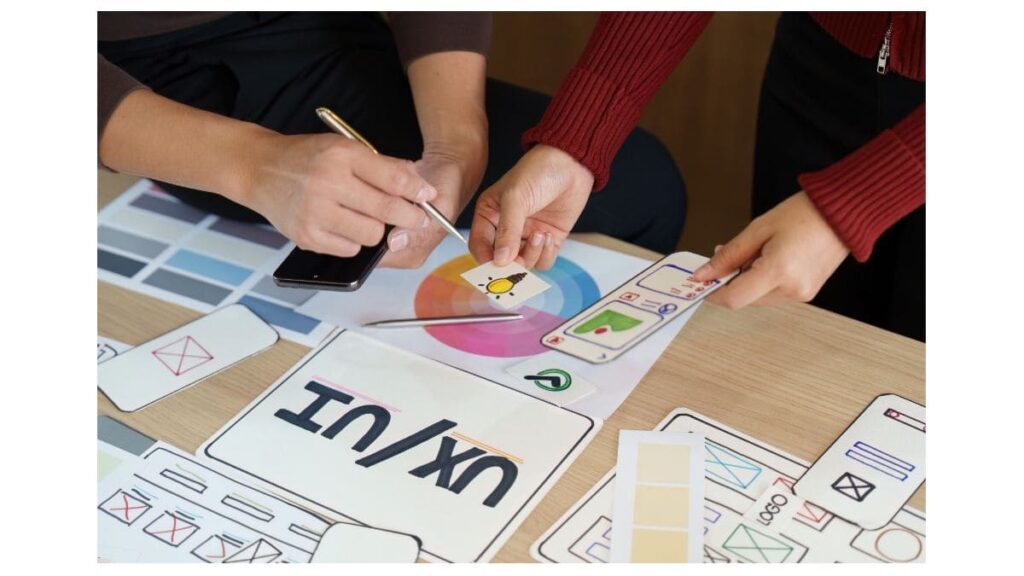
Mobile traffic dominates the Singaporean market. According to Statista 2024 data:
- 85%+ of web traffic comes from smartphones.
- The average Singaporean spends 3.5 hours/day on mobile browsing.
Key Design Guidelines:
- Start with the Smallest Screen
- Design for mobile first rather than retrofitting desktop designs.
- Prioritize the most important content and CTA buttons for small screens.
- Thumb-Friendly Navigation
- Place menus, search bars, and buttons within thumb reach (bottom third of the screen).
- Use large touch targets (minimum 48x48px) to reduce frustration.
- Fast Loading Speeds
- Target <3 seconds load on 4G/5G networks.
- Optimize images with WebP format, lazy loading, and compression.
- Use a reliable Singapore-based hosting or CDN for minimal latency.
- Readable Typography
- Use Sans-Serif fonts like Poppins or Roboto for mobile readability.
- Ensure font size ≥16px for body text.
- Maintain sufficient contrast between text and background.
- Progressive Enhancement
- Offer advanced desktop features (animations, hover effects) without compromising mobile speed.
- Use responsive breakpoints to ensure seamless experience across all devices.
Pro Tip: Conduct mobile user testing with Singaporean users to identify navigation pain points and optimize touch interactions.
2. Trust Signals & Security – Building Credibility from the First Click

Singaporeans are cautious online due to a rising awareness of scams and phishing attempts. Websites must communicate trustworthiness immediately. A professional, secure site increases the likelihood of form submissions, purchases, or inquiries.
Essential Elements:
- SSL Certificates & HTTPS
- Mandatory for all modern websites.
- SSL not only encrypts user data but also improves Google ranking and browser trust indicators.
- Local Business Verification
- Display ACRA registration number for SMEs.
- Include a local phone number (+65) and physical address in the footer.
- Social Proof & Client Logos
- Showcase testimonials from local clients with photos and company names.
- Highlight logos of recognized Singaporean companies or industry awards.
- Payment & Checkout Security
- For e-commerce sites, integrate local payment options: PayNow, GrabPay, ShopeePay.
- Display trust badges like PCI-DSS compliance, local bank certifications, or government-backed schemes.
- Privacy & Data Compliance
- Ensure compliance with PDPA (Personal Data Protection Act) in Singapore.
- Provide clear privacy policies and cookie consent banners to build transparency.
Pro Tip: Users are more likely to trust websites that show visible security and local verification badges above the fold, rather than hiding them in the footer.
See More: Best Web Design Agency In Singapore 2025 – Top Picks & Guide
3. Cultural and Behavioral Insights
Understanding Singaporean behavior helps create designs that resonate locally:
- Efficiency-Oriented: Users expect information quickly—reduce scrolling and clicks to critical content.
- High Visual Literacy: Singaporeans respond well to clean layouts, clear icons, and concise headings.
- Multi-Lingual Considerations: English is dominant, but Mandarin, Malay, and Tamil versions may increase engagement for specific target audiences.
- Trust in Familiarity: Show local references—landmarks, office settings, or culturally relevant imagery.
UX Strategy Tip: Use user testing sessions with locals to ensure the design is intuitive and culturally appropriate.
4. Image Prompt 2 (Enhanced for AI/Design Team)
- Description: Modern website hero section for a Singapore e-commerce site. The page features a secure checkout interface with a padlock icon, PayNow QR code, local bank logos, and an ACRA certificate badge. The Marina Bay skyline is subtly blurred in the background, with a floating testimonial carousel showing Singaporean client reviews.
- Style: Clean UI, semi-3D depth, cinematic lighting, professional corporate palette (Deep Blue, Teal, White).
Summary: Key Takeaways for UX in Singapore
| Focus Area | Best Practice | Local Insight |
| Mobile Design | Start with smallest screen, thumb-friendly buttons | 85%+ traffic from smartphones |
| Load Speed | <3s, optimize images, use CDN | Users expect instant load |
| Trust & Security | SSL, ACRA, PDPA compliance, local phone | Builds credibility instantly |
| Social Proof | Testimonials, client logos, awards | Singaporeans value familiar brands |
| Cultural Resonance | Local imagery, multi-lingual if needed | Increases engagement and trust |
By implementing these UX strategies, you reduce bounce rates, increase conversions, and build trust with Singaporean users from the very first click.
III/ Visual Design Trends in Singapore – Creating Aesthetic and Culturally Resonant Websites
In Singapore, visual design is more than aesthetics—it’s a strategic tool to communicate professionalism, credibility, and cultural awareness. Websites targeting Singaporean audiences need to balance modern design trends, brand identity, and local resonance to convert visitors effectively.
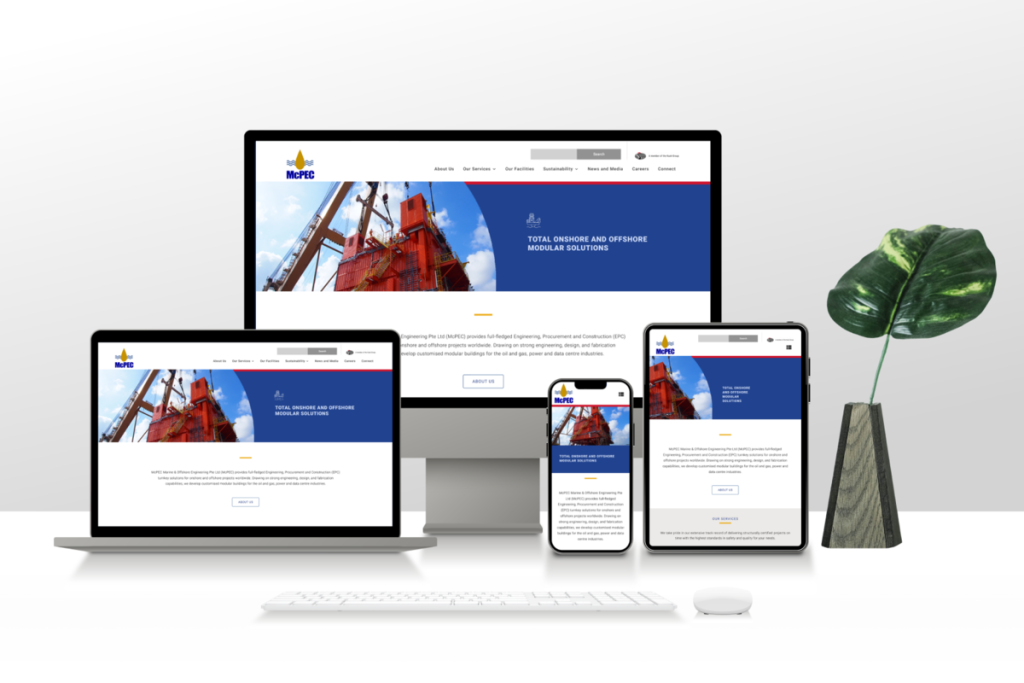
1. Corporate Minimalism – Clean, Professional, and Efficient
Corporate minimalism dominates financial, tech, and professional services websites in Singapore. It emphasizes clarity, hierarchy, and focus on essential elements, reflecting the efficiency and high standards Singaporeans expect.
Key Elements:
- White Space for Readability and Focus
- Adequate white space improves content hierarchy, making information easier to scan.
- Avoid clutter; each section should serve a specific purpose (e.g., value proposition, CTA, testimonial).
- Use margins and padding consistently across devices to maintain a clean look.
- Bold, Modern Typography
- Recommended fonts: Poppins, Roboto, Inter.
- Large headings with bold weights guide the eye and improve readability.
- Ensure contrast between text and background for accessibility (WCAG AA standard).
- Asymmetrical Layouts for Visual Interest
- Break the grid subtly to create a dynamic, modern feel.
- Combine asymmetry with white space to maintain balance.
- Use visual hierarchy to lead users toward CTAs or key information.
- Color Palette Considerations
- Use corporate-neutral colors like navy, grey, and white as a base.
- Accent colors (e.g., Singapore Red or Teal) draw attention to CTAs or critical content.
- Maintain consistency across all pages to strengthen brand recognition.
Pro Tip: Minimalist design does not mean boring—use subtle animations, hover effects, and micro-interactions to keep users engaged without overwhelming them.
2. Localized Imagery & Cultural Inclusivity
Generic stock photos can make a website feel impersonal and untrustworthy, especially for Singaporean users who value authenticity and cultural relevance.
Best Practices:
- Show Local Workforce and Environments
- Highlight Singaporean teams, office settings, and client interactions.
- Include multi-ethnic representation (Chinese, Malay, Indian, expatriates) to reflect Singapore’s multicultural society.
- Capture images of real Singaporean landmarks or cityscape backgrounds subtly integrated into the design.
- Avoid Generic Western Stock Images
- Western stock photos can appear inauthentic and disconnected.
- Instead, use custom photography or high-quality Asian stock images.
- Authentic visuals increase trust and resonate better with local audiences.
- Inclusive Design Considerations
- Use accessible design (color contrast, alt texts for images).
- Consider users with visual or motor impairments; for instance, ensure clickable areas are large enough for touch screens.
- Multi-language elements (English + Mandarin or Malay) can be included subtly for specific target audiences.
- Visual Storytelling
- Use imagery to tell a story about the brand—how it solves problems or engages with the community.
- Combine photos with iconography and illustrations to simplify complex ideas.
Pro Tip: Websites with local imagery and culturally resonant visuals see higher engagement and lower bounce rates than generic designs, especially for B2B clients or SMEs targeting Singaporeans.
3. Combining Minimalism with Local Flavor
The most successful Singaporean websites merge minimalism with local relevance:
- Use clean, uncluttered layouts while incorporating culturally relevant visuals.
- Highlight local achievements, awards, or recognitions alongside the design.
- Optimize visual hierarchy to guide the user toward key CTAs.
Example: A Singaporean tech startup could use a minimalist interface with hero imagery of Marina Bay skyline and real team photos to convey professionalism, trust, and local identity simultaneously.
4. Image Prompt 3 (Enhanced for AI or Design Team)
- Description: Moodboard for a Singaporean corporate website.
- Left: Color palette of Singapore Red, Corporate Navy, and neutral greys.
- Center: Website mockup featuring a local Asian team collaborating in an office, Marina Bay skyline subtly visible through windows.
- Right: Clean outline iconography representing services, features, and CTAs.
- Include subtle micro-interactions: hover effects, animated progress bars, or CTA highlights.
- Style: Flat lay, high design aesthetic, Behance-style presentation, professional corporate palette.
5. Key Takeaways for Visual Design in Singapore
| Design Element | Best Practice | Local Insight |
| Layout | White space, asymmetry, visual hierarchy | Efficiency-focused users prefer clarity |
| Typography | Bold, modern Sans-Serif fonts | Improves readability on mobile & desktop |
| Colors | Corporate neutrals + accent Singapore Red/Teal | Highlights CTAs and key content |
| Imagery | Authentic local photography | Builds trust and local connection |
| Accessibility | Alt text, contrast, touch-friendly elements | Inclusive design resonates with diverse users |
See More: Looking for Cheap Web Design in Singapore? Here Is What You Need to Know
IV/ SEO Strategies for “Website Design Singapore” – Ranking High and Driving Traffic
Designing a visually stunning website is only half the battle. Without SEO, your website may never reach your Singaporean audience. SEO in Singapore requires local market adaptation, technical excellence, and content strategy. This chapter covers keyword targeting, technical SEO, schema markup, Core Web Vitals, and multi-language optimization.
1. Keyword & Geo-Targeting – Reaching Local Audiences
Singaporean search behavior is highly localized. Using the right keywords and mentioning local areas helps you appear in Google Singapore search results and local map packs.
Best Practices:
- Target Local Intent Keywords
- Examples: “Web Design Singapore“, “Ecommerce Web Design SG”, “Professional Web Developer Singapore”.
- Include long-tail variants for higher click-through rates: “affordable website design Singapore for SMEs”, “corporate web design services SG”.
- Use these keywords naturally in title tags, H1 headings, meta descriptions, and body copy.
- Geo-Target Your Content
- Mention specific districts and neighborhoods: “Serving clients from Raffles Place to Jurong East”.
- Highlight local landmarks or business hubs to increase local relevance.
- Internal Linking for SEO Value
- Link to service pages, case studies, or blog posts using keyword-rich anchor text.
- Helps Google understand site structure and distributes page authority.
Pro Tip: Use Google Search Console and keyword research tools (Ahrefs, SEMrush) to track top-performing keywords in Singapore and optimize content accordingly.
2. Technical SEO Essentials – Building a Strong Foundation
Technical SEO ensures your website loads fast, is crawlable by search engines, and provides a smooth user experience.
Core Practices:
- Hosting and Server Location
- Host your website in Singapore or use a premium CDN (e.g., Cloudflare) to reduce latency.
- Local server location improves TTFB (Time to First Byte) and boosts rankings in Singapore.
- Core Web Vitals Optimization
Google evaluates user experience using Core Web Vitals:- LCP (Largest Contentful Paint): Target <2.5s to improve perceived load speed.
- FID (First Input Delay): Ensure interactions respond within 100ms.
- CLS (Cumulative Layout Shift): Prevent unexpected layout shifts; aim for <0.1.
- Schema Markup & Structured Data
- Implement LocalBusiness, Organization, and Breadcrumb schema to enhance SERP visibility.
- LocalBusiness schema can display address, phone, business hours, and reviews in rich snippets.
- Breadcrumb schema improves internal linking hierarchy and site navigation.
- Sitemaps & Robots.txt
- Ensure a dynamic XML sitemap is submitted to Google Search Console.
- Use robots.txt to block non-essential pages (e.g., admin pages) from crawling.
- Mobile SEO
- Mobile-first indexing is mandatory.
- Check that all pages are fully responsive with fast mobile load speeds.
3. Multi-language Optimization (Optional)
Singapore is a multi-lingual market; English dominates, but Mandarin, Malay, and Tamil are important for specific audiences.
Guidelines:
- Use hreflang Tags
- For bilingual or multi-lingual sites, implement hreflang=”en” and hreflang=”zh-Hans” to avoid duplicate content penalties.
- Correct hreflang implementation ensures Google serves the right language to the right user.
- User-Friendly Language Switcher
- Make language selection intuitive (top-right corner or in site menu).
- Preserve URL structure for each language:
- English: /en/web-design-services
- Mandarin: /zh/web-design-services
- Localized Content
- Translate content professionally; avoid machine-only translations.
- Adapt imagery and references for cultural relevance.
4. Content Optimization for Local SEO
- Meta Titles & Descriptions
- Include primary keywords and locations.
- Example: “Professional Website Design Singapore – Custom Web Solutions for Businesses”.
- Header Tags & Content Structure
- H1 for primary keyword; H2/H3 for supporting topics.
- Include FAQs and long-tail keywords to appear in “People Also Ask.”
- Internal & External Linking
- Link to authoritative Singaporean sites (e.g., government grants, SME portals).
- Improves domain authority and local relevance.
- Images & Alt Text
- Optimize images for size and speed.
- Use descriptive alt text with local keywords for accessibility and SEO.
5. Image Prompt 4 (SEO Visualization)
- Description: 3D isometric tree diagram representing website SEO structure.
- Roots: Technical SEO elements (Core Web Vitals, server, schema)
- Trunk: Content strategy (keywords, internal linking, meta tags)
- Leaves: Traffic & leads, highlighted with Singapore map pin
- Magnifying glass focuses on local SERP elements like Map Pack and rich snippets.
- Style: Isometric 3D, soft lighting, tech-inspired colors (Purple & Blue), modern infographic aesthetic.
6. Bonus Tips for Singapore-Specific SEO
- Google Business Profile: Claim and optimize your local profile for map visibility.
- Reviews & Testimonials: Positive reviews increase CTR in local SERPs.
- Local Backlinks: Collaborate with Singaporean blogs, news portals, and industry directories.
- Monitor Core Metrics: Use Google Search Console, PageSpeed Insights, and Ahrefs to track performance.
See More: How to Submit Your Website to Google, Bing & Cốc Cốc: The Complete 2025 SEO Guide
V/ E-commerce Integration in Singapore – Local Payment & Logistics Optimization
E-commerce is booming in Singapore, with mobile-first shopping habits and multiple payment options shaping user expectations. For websites targeting Singaporean customers, integrating local payment methods and efficient shipping logistics is crucial to maximize conversions.
1. Local Payment Methods – Meeting Singaporean Preferences
Singaporeans are digital payment-savvy, and offering the right payment options directly impacts cart completion rates.
Popular Payment Options:
- PayNow
- QR-code-based instant transfer system connected to all major Singaporean banks.
- Trusted, low-friction, widely adopted for both B2C and B2B transactions.
- GrabPay & ShopeePay
- Integrated with popular super-apps for convenience.
- Attracts younger demographics (18–35) who rely on digital wallets.
- BNPL (Buy Now, Pay Later)
- Options like Atome and ShopBack PayLater allow flexible installment payments.
- Popular among Gen Z and Millennial shoppers; increases average order value.
Best Practices:
- Clearly display payment options above the fold on the checkout page.
- Use trust badges and secure checkout icons for each method.
- Offer multiple options to reduce cart abandonment due to payment friction.
Pro Tip: Run A/B tests on payment options visibility; Singaporean users prefer PayNow prominently displayed first.
2. Shipping & Logistics – Real-Time Integration
Shipping is a critical conversion factor. Users expect accurate cost and delivery timelines before checkout.
Recommended Local Couriers:
- NinjaVan – Reliable for small to medium parcels.
- J&T Express – Popular for fast deliveries in urban areas.
- Lalamove – On-demand, ideal for same-day deliveries.
Integration Tips:
- Use APIs from logistics providers for real-time shipping calculations.
- Show estimated delivery dates based on postal codes or districts.
- Offer multiple shipping options (standard, express, same-day) to cater to different user needs.
Pro Tip: Include tracking information post-purchase. Singaporean users trust e-commerce sites that provide transparent delivery updates.
See More: What is WordPress? WordPress tutorial and the most important notes about WordPress
VI/ Conversion Rate Optimization (CRO) – Turning Visitors into Customers
Conversion Rate Optimization is the science of guiding users toward action. In Singapore, attention spans are short and competition is high.
1. Above-the-Fold is Critical
Your hero section must communicate value instantly:
- Clear Value Proposition
- One concise sentence explaining what you do and why it matters.
- Example: “Custom Website Design Singapore – Fast, Secure, Mobile-First.”
- Primary Call-to-Action (CTA)
- Example: “Get Free Consultation” or “Request a Quote Today”.
- Position CTA above the fold and make it thumb-friendly for mobile.
- Social Proof
- Highlight trusted clients, testimonials, or SME recognitions.
- Example: “Trusted by 500+ Singapore SMEs”; include logos of recognizable local brands.
2. Streamlined Forms – Reduce Friction
Lengthy forms kill conversions. Keep it short, simple, and mobile-optimized:
- Minimal fields: Name, Email, Phone Number.
- Use progressive profiling for additional information (e.g., company size, interests) in later interactions.
- Include inline validation and error messages to avoid frustration.
Pro Tip: Add a sticky CTA or slide-out form on long-scroll pages for maximum conversion.
3. Image Prompt 5 (Conversion Funnel)
- Description: Split-screen infographic:
- Left: cluttered, confusing website with frustrated user icons.
- Right: streamlined, clean design with hero CTA, clear value proposition, happy user icons with green checkmarks.
- Style: Minimalist vector illustration, flat infographic style, clean lines, professional palette.
VII/ Government Grants & Funding – Boost Your Budget
Singaporean SMEs can leverage government grants to reduce website and e-commerce development costs.
1. Productivity Solutions Grant (PSG)
- Covers up to 50% of qualifying digital solutions costs, including:
- E-commerce platform setup
- Website design and development
- Digital marketing tools
- Only pre-approved vendors qualify; make sure your agency is listed to help clients apply.
2. Other Relevant Grants
- Enterprise Development Grant (EDG): Supports business transformation and market expansion.
- SkillsFuture Enterprise Credit: Can subsidize training for staff to manage website, digital tools, and e-commerce.
Tips for Web Design Agencies:
- Highlight grant eligibility on your marketing pages to attract budget-conscious SMEs.
- Offer grant application assistance as a service—many SMEs find the process confusing.
- Showcase case studies of clients who used grants successfully to improve credibility.
Pro Tip: Including grant information in your sales funnel reduces perceived cost barriers, improving lead conversion rates.
Summary – Maximizing E-commerce Success in Singapore
| Area | Best Practices | Singapore Insights |
| Payment Options | PayNow, GrabPay, ShopeePay, BNPL | Local users trust familiar digital wallets |
| Shipping | Real-time calculation, multiple courier options | Transparent delivery reduces cart abandonment |
| CRO | Above-the-fold CTA, minimal forms, social proof | Efficiency-focused users act quickly when value is clear |
| Grants | PSG, EDG, SkillsFuture Credit | Subsidies reduce cost barriers for SMEs |
By combining local payment methods, efficient shipping, smart CRO, and government funding awareness, your Singapore-focused e-commerce website can maximize conversion, trust, and revenue.
See More: Web Design Agency Singapore: Services, Costs, Process & How to Choose the Right Partner
VIII/ 8 Frequently Asked Questions (FAQ) About Website Design Singapore
Providing answers to common questions not only helps potential clients make informed decisions but also improves SEO by targeting “People Also Ask” queries on Google.
1. How much does website design cost in Singapore?
Answer: Website costs vary depending on complexity, functionality, and design customization:
- Basic Landing Page: SGD 800 – 1,500. Suitable for startups or small campaigns.
- Corporate Websites: SGD 3,000 – 8,000. Includes multiple pages, CMS, and responsive design.
- Custom E-commerce / Web Applications: > SGD 15,000. Advanced features like payment gateways, custom API integrations, or multi-language support.
Pro Tip: Always request a detailed quote listing features, CMS, hosting, and maintenance. Hidden costs can significantly increase total investment.
2. How long does it take to build a website?
Answer: Timelines depend on design approach and complexity:
- Template-Based Websites: 2 – 4 weeks. Faster, but limited customization.
- Custom Websites: 6 – 10 weeks. Includes UX/UI design, content integration, and SEO setup.
- Complex E-commerce / Web Apps: 12 – 16+ weeks. Includes API integrations, payment, and testing.
Pro Tip: Provide content and assets promptly to avoid delays. Agile communication with your agency speeds up delivery.
3. Can I use the PSG Grant for my website?
Answer: Yes, if your project qualifies under pre-approved digital solutions from the Productivity Solutions Grant (PSG).
- Applicable to website development, e-commerce platforms, and digital marketing tools.
- Business must be registered with ACRA.
- Only vendors listed on the PSG pre-approved list are eligible.
Pro Tip: Ask your agency for PSG support—they can guide you through application and documentation.
4. WordPress vs Shopify – Which is best?
Answer: Depends on your business needs:
- Shopify: Ideal for retailers and small businesses seeking easy, all-in-one e-commerce solutions. Minimal setup, built-in payment and shipping integrations.
- WordPress + WooCommerce: Offers full control, flexible design, and advanced SEO capabilities. Better for B2B sites, corporate websites, or complex e-commerce solutions.
Pro Tip: Consider future scalability. WordPress allows more advanced customization, while Shopify is faster to launch.
5. Do agencies provide content writing?
Answer: Most agencies require clients to supply text content. However:
- Premium agencies offer SEO copywriting as an add-on service.
- Professionally written content ensures tone consistency, keyword optimization, and better conversion.
Pro Tip: Allocate budget for copywriting—it can dramatically improve search rankings and engagement.
6. Will my website rank immediately on Google?
Answer: No. A technically optimized website is the foundation, but ongoing SEO is required:
- SEO includes content creation, backlinks, technical fixes, and local SEO.
- Ranking depends on competition, content relevance, and domain authority.
Pro Tip: Plan a 6–12 month SEO strategy alongside your website launch to achieve sustainable results.
7. What happens if my website is hacked?
Answer: Website security is crucial. Agencies often offer Annual Maintenance Contracts (AMC) covering:
- Security patch updates
- Daily or weekly backups
- Malware detection and removal
Without an AMC, you are responsible for restoring hacked websites, which can be costly and cause business disruption.
Pro Tip: Use SSL certificates, secure login, and regular security audits. Educate staff on safe password practices.
See More: 7 Tips to Hire a Reliable Website Developer in Singapore
8. Who owns the website after it is completed?
Answer: Ownership should be clearly defined in the contract:
- Clients should own domain name, hosting account, and source code/database.
- Avoid agencies that “rent” the website or restrict access to code.
- Ensure you have all credentials for hosting, email accounts, and CMS login.
Pro Tip: Clarify ownership rights before project commencement to avoid future disputes.