
A website redesign should make your site look better, load faster and bring in more enquiries, without losing the Google rankings you have already earned. iCreationsLab redesigns websites for Singapore businesses, from a refresh of an ageing company site to a complete rebuild on a new platform. We handle the design, development, content migration and the SEO details that decide whether traffic goes up or down after launch.
Signs you need a website redesign
- The design looks dated or no longer matches your brand.
- The site is slow, or does not work well on phones.
- It is hard for your team to update pages, news or products.
- Visitors come, but few fill in forms or message you.
- The platform is old, unsupported or has repeated security problems.
- Your services have changed, but the website still describes the old business.
Not sure whether you need a redesign or only a few fixes? Our website revamp guide helps you decide.
Redesign, refresh or rebuild: which do you need?
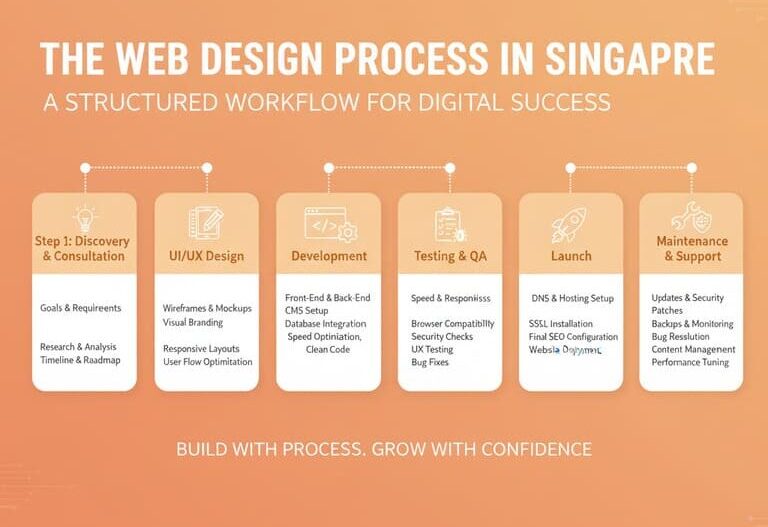
“Redesign” can mean several different projects with very different costs and risks, so it helps to be clear about which one you need.
A refresh
A refresh updates the look and feel on the existing structure: new colours, typography, imagery and some layout improvements. The pages, addresses and platform stay largely the same. It suits a site that is structurally sound but looks dated.
A redesign
A redesign changes layouts, navigation and often content across the site while usually keeping the platform. This is the right choice when the site no longer reflects your business, confuses visitors or underperforms on mobile.
A rebuild or replatform
A rebuild moves the site to a new platform or technology, for example from an unsupported system to WordPress. It is the biggest project, and carries the most SEO risk, because addresses, templates and code all change. It makes sense when the existing platform cannot be maintained safely or cannot support what you need.
If you are unsure, start with a review of the current site. A short audit often shows whether targeted fixes are enough, which can save considerable cost.
What to prepare before the project starts
- Your goals: more enquiries, better mobile experience, easier updates, a repositioned brand. Goals shape every later decision.
- Access to analytics and Search Console: these show which pages bring visitors and what people search for. If you do not have them set up, start now so you have a baseline.
- A list of pages that matter: top pages by traffic, enquiries and links, as well as pages you know are outdated.
- Logins and assets: domain, hosting, CMS, brand guidelines, logos, photos and any third-party integrations such as booking or payment tools.
- A decision maker: one person who can approve designs and content, so feedback arrives together instead of in conflicting pieces.
What our redesign service includes
| Stage | What we do |
|---|---|
| Review of your current site | We look at your pages, traffic, content, speed and the goals you want the new site to achieve. |
| Keep, improve or remove | We decide with you which pages to keep, rewrite, merge or remove, so pages that bring traffic are protected. |
| Redirect plan | If any page addresses change, we map old pages to the closest new pages with permanent redirects, so visitors and Google land in the right place. |
| New design and user experience | Wireframes and design concepts focused on clarity, speed and making it easy to contact you. |
| Build and content migration | We build the new site and move over your content, images and forms. |
| SEO and technical setup | Page titles, headings, structure, speed optimisation and tracking are set up before launch. |
| Testing and launch | Checks across devices and browsers, then go-live and training for your team. |
Our six-step process
- Discovery and strategy: we learn about your business, audience and goals.
- UI/UX design and wireframes: page layouts and design concepts for your approval.
- Development and build: we build the site and set up your content.
- SEO and technical setup: page titles, structure, speed and tracking.
- Quality assurance testing: checks across devices and browsers.
- Launch and training: go-live and a handover so your team can manage the site.
Packages and pricing
Redesign projects are quoted based on the number of pages, features and how much content needs to be moved or rewritten. Our website packages start from SGD 2,999 (Basic), SGD 4,999 (Professional) and SGD 8,999 (Custom), and give you a guide to what each level includes.
| Package | Starting price | What is included | Typical timeline |
|---|---|---|---|
| Basic | From SGD 2,999 | Ready-made design (2 options), up to 2 main pages and 5 content pages, mobile-friendly layout, basic contact form, WordPress CMS, basic security, Zoom handover training and lifetime email support. | 4 to 6 weeks |
| Professional | From SGD 4,999 | Everything in Basic plus a custom design, up to 4 main pages and 10 content pages, 5-article setup for SEO, 2 smart contact forms, 2 design revisions, and 1 year of free hosting and domain. | 6 to 8 weeks |
| Custom | From SGD 8,999 | Fully custom design with 2 concepts, up to 8 main pages and 25 content pages, 3 advanced contact forms, Google Analytics and basic tracking setup, and up to 10 AI-generated images. | 6 to 10 weeks |
To understand what affects the price, see website design cost in Singapore.
Protecting your SEO during a redesign
The biggest risk in a redesign is losing traffic. We reduce that risk by:
- Reviewing which pages bring visitors and enquiries before anything changes.
- Keeping page addresses wherever possible, and redirecting those that must change.
- Carrying over titles, headings and important content to the new pages.
- Making sure the new site can be crawled and is not blocked when it goes live.
- Checking Google Search Console after launch for errors or drops.
If you want help with ongoing search performance after the redesign, see our SEO services.
The redesign launch checklist
Most redesign problems appear at launch, and most of them are preventable with a short checklist.
- Record a baseline. Before launch, save your traffic, top pages, rankings for important searches and conversion numbers so you can compare afterwards.
- Crawl the old site. Export a list of every address, with titles and headings. This becomes the base for your redirect map.
- Map old addresses to new ones. Each old page that changes address should point permanently (a 301 redirect) to its closest equivalent, not to the home page.
- Build and test on a private staging site. Keep it hidden from search engines while you work.
- Remove the staging block at launch. A leftover “noindex” setting or a blocked crawl rule on the live site is one of the most damaging and avoidable launch mistakes.
- Check titles, headings, internal links and images on the new pages, along with forms, tracking and any embedded tools.
- Submit the new sitemap in Google Search Console and test important old addresses to confirm the redirects work.
- Monitor for the first weeks. Watch for crawl errors, missing pages and unusual traffic changes, and fix problems early.
Small movements in rankings immediately after a redesign are normal, as search engines reprocess the site. A well-prepared launch aims to keep them small and short.
Content and design decisions that improve results
The strongest redesigns are driven by evidence, not taste alone. Look at which pages your visitors use and which they leave, then simplify the path to your main goal. Rewrite pages that describe your business in vague terms, and replace stock images with real photography where possible. Make the contact route obvious on every page, check that headings use the words your customers search for, and make sure each page has one clear purpose. If your site feels slow, compress images, remove unused scripts and plugins, and choose hosting that suits your traffic.
Redesign for Singapore businesses
- Mobile first: most Singapore visitors browse on their phones, so we design for small screens first.
- Fast loading: we aim for page load times under two seconds.
- Local details intact: your business name, address and phone stay consistent with your Google Business Profile.
- PDPA-aware forms: consent wording and privacy policy are updated to match the new forms and tracking.
- WhatsApp-ready: a WhatsApp button and click tracking so you can see which pages generate enquiries.
After launch
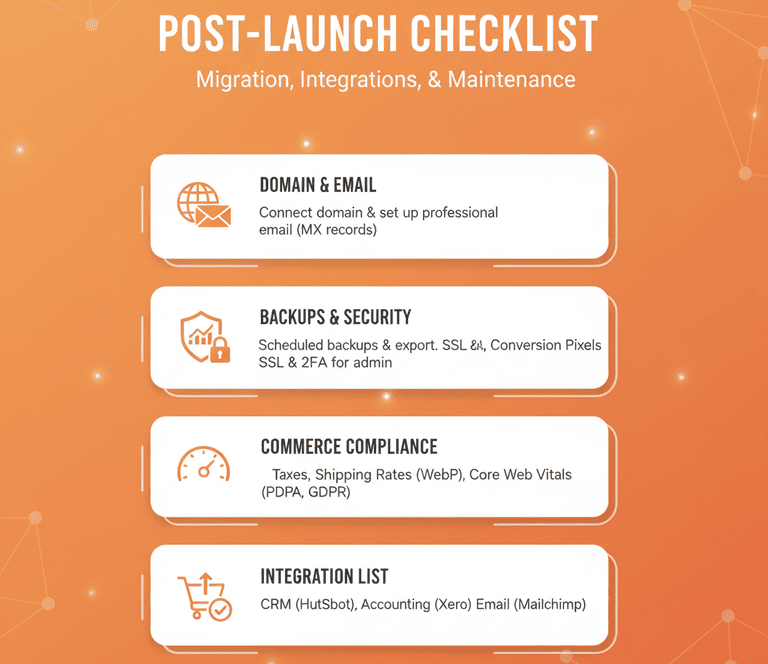
A website needs updates, backups and security monitoring. Our website maintenance and security plans keep your new site up to date and protected.
What you receive at the end
- A new, mobile-friendly website on WordPress, tested across devices and browsers.
- Your content migrated to the new pages, with redirects for any changed addresses.
- SEO and tracking set up, including Google Analytics where included in your package.
- Training so your team can edit pages and publish updates.
- A handover of the site and its logins, so you stay in control.
Frequently asked questions
How long does a website redesign take?
It depends on size and complexity. Our packages are planned at 4 to 6 weeks (Basic), 6 to 8 weeks (Professional) and 6 to 10 weeks (Custom), and we confirm the timeline in the proposal.
Will I lose my Google rankings after a redesign?
Rankings can move after any site change. We reduce the risk by protecting the pages that bring traffic, redirecting changed addresses and checking Search Console after launch, but we cannot promise a specific result.
Can you redesign a site built on another platform?
Yes. We can move content from an older site or another platform to a new WordPress site, and discuss options if you want a different platform.
How much does a website redesign cost?
Our packages start from SGD 2,999, SGD 4,999 and SGD 8,999. Redesigns are quoted based on scope, and we will give you a written quotation after the first consultation.
Can I keep my existing domain and hosting?
Yes. We can work with your current domain and hosting, or move you to new hosting if needed. Our Professional package includes one year of free hosting and domain.
Should we redesign the site or just fix the problems?
If the structure and platform are sound and the issues are specific, such as slow pages, weak calls to action or outdated content, targeted fixes can be cheaper and less risky. If the site is hard to update, hard to use on mobile or no longer matches your business, a redesign is more likely to pay off. A review of the current site will tell you which.
Will we need to rewrite all our content?
Not always. Pages that work well and bring traffic can be kept or lightly edited. Pages that are outdated, duplicated or off-brand should be rewritten, merged or removed. We agree this with you in the “keep, improve or remove” step.
Do we need to stop using the site during the redesign?
No. The new site is built separately and your live site keeps running until launch. The only pause is usually a short content freeze near the end so nothing is lost when content is moved.
What happens to our old blog posts?
Blog posts that bring visitors are normally kept with the same addresses. Weak or duplicate posts can be merged into stronger ones with redirects, so that visitors and search engines reach the best version.
Related reading
- Is It Time for a Website Revamp? Complete Guide in 2026: Check the signs that your website needs a revamp before you commit.
- Spring Clean Your Website: The Complete Guide to Better UX and SEO: Practical fixes you can make before or instead of a full redesign.
- UX Audit Singapore: How to Find and Fix What’s Killing Your Conversion Rate: Use evidence from visitors to decide what the new design should change.
| Want a redesign that improves results without risking your rankings? Call us on +65 6269 9558 (Monday to Friday, 10am to 6pm), message us on WhatsApp or use the contact form to request a free consultation. See also our web design services in Singapore. |